

You’ve hit your search limit
Start your free trial to keep exploring full traffic and performance insights.
Get StartedAnalyse de l'application NeoServer SSH Mosh Terminal pour le 6 octobre

NeoServer SSH Mosh Terminal
- Space-Time Transformation Technology Co., Ltd.
- App Store Apple
- Gratuit
- Outils de développement
NeoServer manages your servers over SSH, with no extra software to install.
Whether it's a Home Server, NAS, cloud server, development environment, or AI compute node, you can connect, monitor, manage files, and operate containers directly through NeoServer.
◉ Terminal and Remote Access
• Mosh support — stays connected when switching networks
• Deep tmux and zellij support for fast session recovery after disconnects
• Built for Claude Code, with direct paste or upload of images, videos, and files
• Password, Private Key, 2FA, and SSH Agent forward authentication
• Jump Server, Failover, and Socks5 Proxy support
• Automatically run Shell initialization scripts after connecting
• Built-in special keyboard, copy and paste, and quick actions
• Command completion hints, with double-tap to trigger TAB
• Custom themes and fonts, including programming ligature fonts
◉ AI Assistant
No Agent installation required. Manage your servers directly with AI: it can read metrics, run commands, and manage files — like an always-on operations assistant that helps you handle complex maintenance tasks.
• Supports mainstream LLM APIs via standard protocols. No model service is included — bring your own API configuration for any provider you need
• Custom Skills system: AI can read and create skills, synced across devices via iCloud
• Built-in browser skill: AI can open web pages, extract content, and run scripts in-app
• Local file sandbox: AI can read and write local files with live preview
• Runs continuously in the background, with automatic notifications when tasks complete
• Upload images, screenshots, and files for AI to analyze in context
• Plan mode: plan first, then execute — more control over complex tasks
◉ File Management (SFTP)
• Browse server files and directories
• Upload, download, delete, and rename files
• View file size, permissions, and modification time
• Edit files online
• Syntax highlighting for common programming languages
• Preview images, logs, configuration files, and more
◉ Batch Script Execution
• Run scripts on one or multiple servers
• Organize servers into groups
• View script execution history
• Run maintenance tasks in batches at once
• Suitable for batch updates, deployments, and inspections
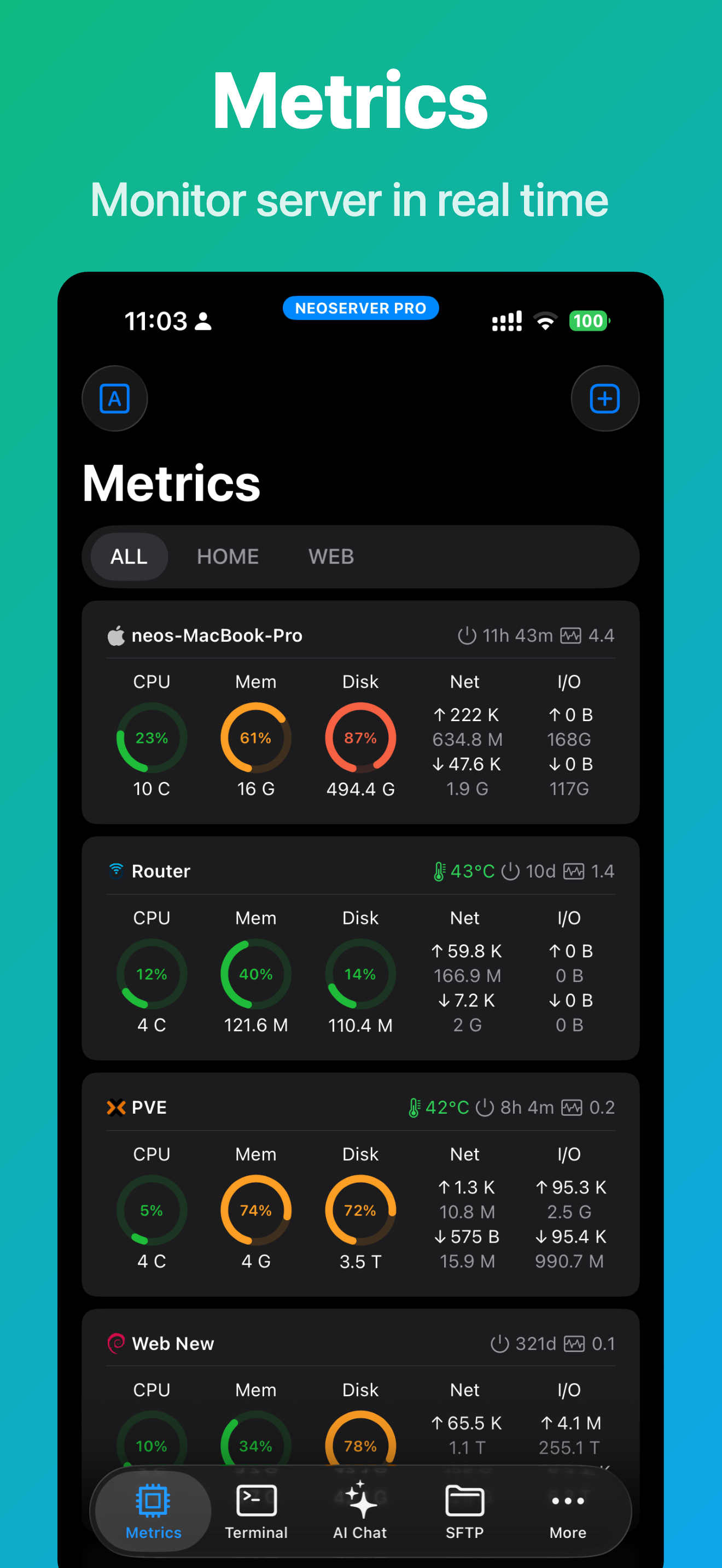
◉ Server Monitoring
View server status in real time:
• Uptime
• 1 / 5 / 15 minute system load
• CPU model, temperature, and usage
• Memory usage
• GPU usage and GPU task information
• Disk capacity, IOPS, and I/O Wait
• Disk read/write speed and total read/write volume
• Network upload and download speed
• Total traffic statistics
Key metrics can also be shown directly in iOS widgets.
◉ Process Management
• View the system process list
• Show PID, user, CPU, memory usage, and more
• Sort by columns
• Send signals to terminate processes
◉ Docker and Podman Management
• View container status
• View container logs
• View Inspect information
• Create, start, stop, and restart containers
• Pause and delete containers
• Manage images and container resources
◉ Remote Wake and Automation
• Wake-on-LAN (WOL) remote startup
• Wake LAN devices with one tap
• Remote shutdown and daily operations support
• Great for NAS and Home Server users
◉ Security and Data Sync
• Face ID / Touch ID app protection
• Sync data with your private iCloud storage
◉ Who NeoServer Is For
• Home Server enthusiasts
• NAS users (Synology, QNAP, TrueNAS, and more)
• Website administrators and operations engineers
• Developers and programmers
• AI model researchers
• Cloud server administrators
◉ Feedback and issues: makerneo.lab@gmail.com
◉ Data Privacy:
◦ Your private data — such as SSH private keys and server configurations — is stored only on your device and your own iCloud storage (if you enable sync). It is never uploaded to our servers or shared with any third party.
◦ Privacy Policy: https://www.joyk.com/en/doc/neoserver-privacy.html
◦ Terms of Use: https://www.apple.com/legal/internet-services/itunes/dev/stdeula/
Classement dans le store
Le classement des stores est basé sur plusieurs paramètres définis par Google et Apple.
Toutes les catégories dans
États-Unis--
Outils de développement dans
États-Unis#168
Principaux concurrents & apps alternatives
Applications ayant une forte probabilité d'être utilisées par les mêmes utilisateurs, à partir du même store.

ServerCat - SSH Terminal

Docker Server Admin

Docker Manager GUI - WhaleDeck

SSH Client - Secure ShellFish
 NeoServer SSH Mosh Terminal VS.
 octobre 6, 2026