

You’ve hit your search limit
Start your free trial to keep exploring full traffic and performance insights.
Get StartedAnalyse de l'application Procreate Pocket pour le 2 novembre

Procreate Pocket
- Savage Interactive Pty Ltd
- App Store Apple
- Payant
- Graphisme & Design
App of the Year winner Procreate Pocket is the most feature-packed and versatile art app ever designed for iPhone.
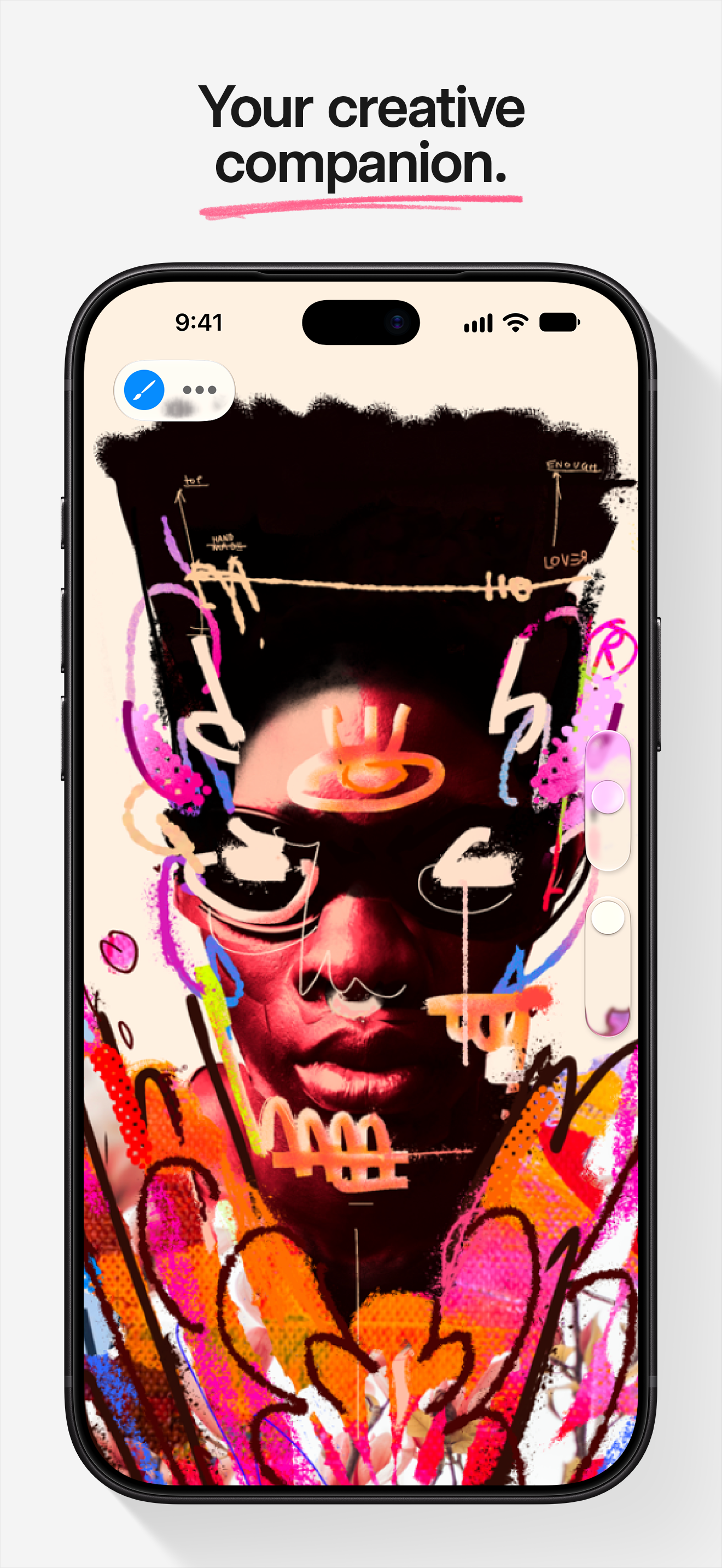
Procreate Pocket has everything you need to create expressive sketches, gorgeous illustrations, design concepts, enhanced photos, and beautiful animations. Offering hundreds of handmade brushes, a suite of intuitive artistic tools, and an advanced layer system. Work on the couch, on the train, at the beach, or while waiting in line for coffee.
It’s a creative companion in the palm of your hand.
Highlights:
• Sketch ideas when inspiration strikes
• Create engaging photo collages and draw-overs
• Add filters and captivating effects to your images
• Mark-up documents and give feedback on the fly
Breakthrough brushes:
• Packed with hundreds of beautifully crafted brushes
• Organize your brushes into sets and libraries
• Over 100 customizable settings for every brush
• Import and export custom Procreate brushes
• Import Adobe® Photoshop® brushes, and run them faster than Photoshop®
Full-featured layering system:
• Layer your art for precise control over details and composition
• Create Layer Masks and Clipping Masks for non-destructive editing
• Stay organized by combining layers into Groups
• Select multiple layers to move or Transform objects simultaneously
• Access over 25 layer blend modes for industry-grade compositing
Color without compromise:
• Fill your line work with ColorDrop and SwatchDrop
• Disc, Classic, Harmony, Value, and Palette color panels
• Import color profiles for color matching
• Assign Color Dynamics to any brush
Precision design tools:
• Revolutionary QuickShape feature for perfect shapes
• Add vector text to your illustrations
• Easily import all your favorite fonts
• Crop and resize your canvas for perfect composition
• Perspective, Isometric, 2D, and Symmetry visual guides
• Drawing Assist perfects your strokes in real time
• StreamLine and stabilization smooths strokes for beautiful calligraphy and expert inking
Animation and Page Assist
• Easy frame-by-frame animation with customizable onion skinning
• Create storyboards, GIFs, animatics, and simple animations
• Sketch page-by-page concepts, or begin a comic, with Page Assist
• Import, edit, and share PDFs
Dramatic finishing effects:
• Gradient Map — remap your image’s colors with a customizable gradient
• Glitch, Chromatic Aberration, Glow, and Halftone add new dimensions to your work
• Gaussian and Motion Blur filters for depth and movement, or use Sharpen for perfect clarity
• Advanced Noise filter gives you more control for a classic, retro look
• Adjust Hue, Saturation, or Brightness in real time
• Powerful image adjustments including Color Balance, Curves, and HSB
• Bring your art to life with the fun, intuitive, and creative Warp, Symmetry, and Liquify Dynamics
Time-lapse replay
• Relive your creative journey with Procreate’s Time-lapse Replay
• Export your Time-lapse recording in 4K for high-quality video production
• Share a shorter 30-second Time-lapse on your socials
Reference Companion:
• Keep a full canvas or reference image with you at all times
• Paint on your face with AR
• Color-pick right from the reference window
Import assets and share your creations:
• Import or export your art as Adobe® Photoshop® PSD files
• Import Adobe® ASE and ACO Color Palettes
• Import image files such as JPG, PNG, and TIFF
• Export your working files in layered .procreate or PSD file formats
• Share your art as TIFF, transparent PNG, multi-page PDF, web-ready JPEG, and animated GIFs, PNGs, and MP4s
Accessibility
• Global stroke stabilization, Dynamic Type, VoiceOver, and color naming
Classement dans le store
Le classement des stores est basé sur plusieurs paramètres définis par Google et Apple.
Toutes les catégories dans
États-Unis#7
Graphisme & Design dans
États-Unis#1
Principaux concurrents & apps alternatives
Applications ayant une forte probabilité d'être utilisées par les mêmes utilisateurs, à partir du même store.

Brushes for Procreate

Tools for Procreate

Clip Studio Paint for iPhone

Magic Poser - Art Pose Tool
 Procreate Pocket VS.
novembre 2, 2026