

SatCatcher Dish Installation 앱 분석 (10월 6일)

SatCatcher Dish Installation
- Souria HAKKAR
- Apple App Store
- 유료
- 유틸리티
Dish alignment, pointing and Installation has always been a complicated task, especially if you do not have a clue. That is why I posted this application that will simplify this task and allow you to install and align your antenna without the need to call a specialist.
SatCatcher is a satellite finder and dish pointer, it allows you to orient your antenna to any satellite. Using augmented reality, this application displays the target satellite in space to better choose the location of your antenna and ensure the absence of any obstacle (wall, tree ...).
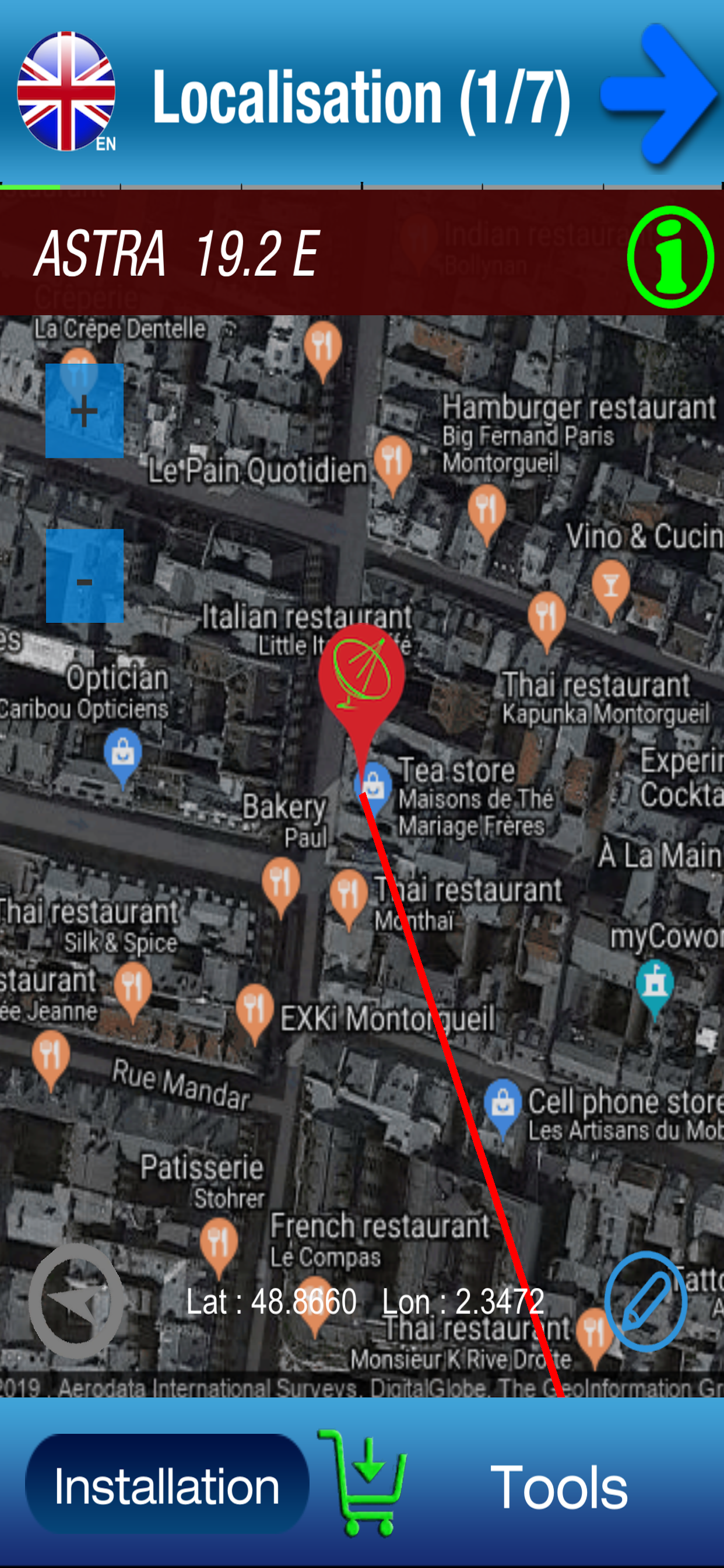
SatCatcher also uses your phone GPS to show your location on a map and shows the direction of the satellite from your position.
The compass accompanied by a beep lets you orient your antenna following the acceleration of beeps or the arrow of the compass.
The accelerometer is used to verify that the holder of your antenna is vertical.
The antenna adjustment steps:
1- choose a satellite and authorize geolocation to determine the direction of the antenna orientation.
2- Show satellite in augmented reality with your camera and make sure there are no obstacles and validate the location of your antenna.
3. Check that the support of your antenna is vertical.
4. Calculate the polarization and adjust the rotation of the LNB (the head of your antenna)
5. Set the elevation
6- Search orientation with visual and sound assistant
7- Fine adjustments.
For the good functioning of the application, SatCatcher will need the camera, compass, gyroscope, accelerometer and the GPS of your smartphone.
tips:
- If your smartphone does not have GPS, you can manually move the "marker" on the card until it points your exact location. Use zoom for more detail.
- The compass is very important to adjust your dish, but if your smartphone does not have one, you can still use the application. In this case, it will help you to find clues and marks on the map from your location. It also allows you to calculate the orientation. Than you can use a manual compass to get a good orientation.
- Do not hesitate to recalibrate the compass and avoid too close to the antenna arm, because it is sensitive to metallic elements. Try to place your smartphone where there is less magnetic interference.
You can use SatCatcher to install your antenna or satellite dish, find and display the different satellites, alignment and orientation of your antenna or satellite dish to any visible satellite.
Contact : infosoftycontactfree@gmail.com
스토어 순위
스토어 순위는 Google과 Apple이 설정한 여러 매개변수를 기반으로 합니다.
모든 카테고리 ·
미국--
유틸리티 ·
미국--


 SatCatcher Dish Installation VS.
 10월 6, 2026