

Car HUD: Speed & Navigation 앱 분석 (11월 19일)

Car HUD: Speed & Navigation
- Hovik Aghajanyan
- Apple App Store
- 무료
- 내비게이션
Turn your iPhone into a heads-up display. Lay it flat on the dashboard and Car HUD reflects your speed, the map and your next turn in the windshield, right in your line of sight, so your eyes stay on the road.
FREE
• Big, glowing speedometer in km/h or mph
• Live map that turns with you
• Speed limit sign for the road you're on
• Clock, automatic day and night brightness
• HUD mode mirrors the screen for the windshield reflection
• "Hey Siri, start Car HUD"
HUD PRO
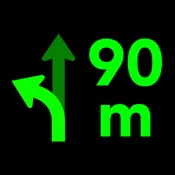
• Turn-by-turn directions with voice guidance and automatic rerouting
• Speeding alert: the speed turns red and chimes when you're over the limit
• Three layouts (Navigation, Split, Gauge) and custom colours
• Apple Maps or Google Maps
• Trip history with routes, distance and top speed
• Lock Screen and Dynamic Island Live Activity
• G-force meter, compass, altitude and 0–100 km/h timer
HOW TO USE
1. Open Car HUD and allow location.
2. Turn on HUD mode.
3. Lay the phone flat on the dashboard with the screen facing up, under the windshield. At night the reflection is clearest.
HUD Pro is available as a monthly or yearly subscription (the yearly plan includes a 7-day free trial) or as a one-time lifetime purchase. Subscriptions renew automatically unless cancelled at least 24 hours before the end of the current period. Manage or cancel in Settings › Apple Account › Subscriptions.
Speed limits come from OpenStreetMap and may be missing or out of date. Always follow road signs and local laws. Use only when it's safe to do so.
Terms of Use: https://www.apple.com/legal/internet-services/itunes/dev/stdeula/

스토어 순위
스토어 순위는 Google과 Apple이 설정한 여러 매개변수를 기반으로 합니다.
모든 카테고리 ·
미국--
내비게이션 ·
미국--



 Car HUD: Speed & Navigation VS.
11월 19, 2026