

LabelGrid 앱 분석 (10월 6일)

LabelGrid
- Taliyo Ltd
- Apple App Store
- 유료
- 그래픽 및 디자인
Tired of struggling to align labels or printing them one by one? Meet LabelGrid - the ultimate utility for laying out and printing grids of images, stickers, and labels in a single click. Whether you're organizing shipping details, creating custom product packaging, designing creative stickers, or generating photo contact sheets, LabelGrid transforms a tedious chore into an effortless, seamless workflow.
Why LabelGrid?
Traditional label sheet printing is notorious for paper waste, frustrating margin misalignments, and complex templates. LabelGrid eliminates these problems. By letting you define precise dimensions, pick from standard paper and label presets, and dynamically adjust settings, you get pixel-perfect, professional-grade output on any printer.
Key Features:
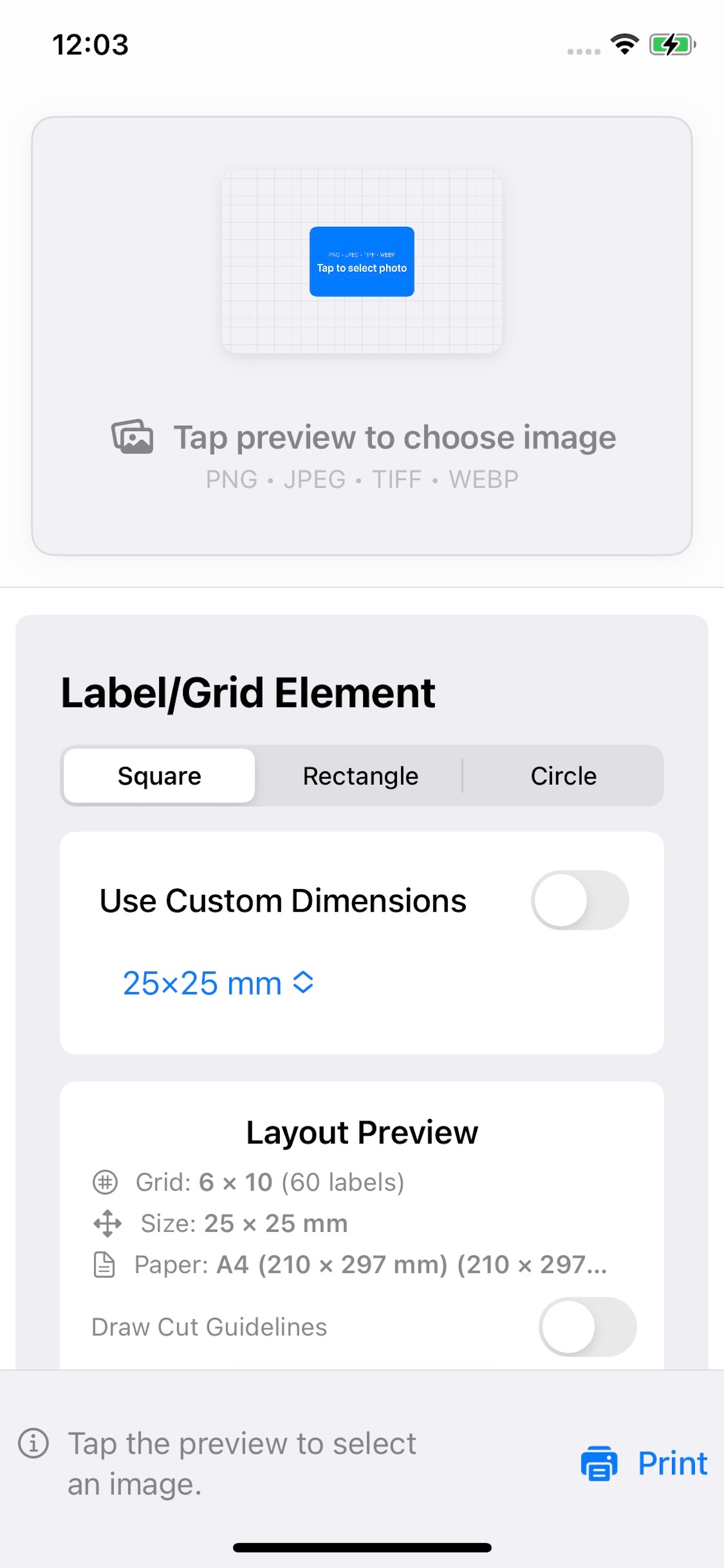
* Smart Sheet Reuse (Slot Skipping): Never throw away a half-used label sheet again! Simply tap the preview grid to select your starting slot (e.g., start printing from slot 5), allowing you to print on partially used sheets and eliminate waste.
* Precise Print Calibration: Avoid printer feed misalignments. Tweak grid positions on the page using millimeter-level X/Y offset adjustments for perfect registration every time.
* Dashed Cut Guidelines: Toggle dashed cut lines around your shapes to make manual cutting with scissors or paper cutters quick and easy.
* Multi-Shape & Custom Sizing: Print Square, Rectangle, or Circle labels. Choose from common built-in commercial label presets or input custom dimensions in millimeters.
* Multiple Paper Sizes: Full support for A4, A5, US Letter, US Legal, A3, and custom paper formats.
* Universal App (macOS & iOS): Designed natively for macOS and iOS. Lay out your grids on your Mac, or print directly from your iPhone or iPad to AirPrint-enabled printers.
* Drag-and-Drop / Photos Picker: Drag files directly into the window on macOS (or use the dedicated file selector button) and tap to pull images from your Photos Library on iOS.
* Live Interactive Preview: See exact changes to borders, spacing, starting slots, and sizes in real-time before sending your job to the printer.
Perfect For:
* E-commerce & Shipping: Address labels, logo stickers, packaging seals, and barcode labels.
* Branding & Merchandising: Circular jar labels, candle stickers, and custom branding tags.
* Home & Classroom Organization: File folder tabs, kitchen jars, event badges, and classroom name tags.
* Creative Projects: Designing custom sticker sheets, photo grids, and custom craft shapes.
How It Works:
1. Select Your Image: Drag and drop your image, browse files, or select from your photo library.
2. Define Layout Specs: Pick your paper type, shape (Circle, Square, Rectangle), and size presets.
3. Choose Your Starting Slot: If reusing a partial sheet, tap the slot where the first label should print.
4. Calibrate (Optional): Fine-tune horizontal/vertical shifts (in mm) if your printer alignment is off.
5. Print: Toggle cut guidelines if needed, and print perfect sheets instantly.
System Requirements:
* macOS: Compatible with macOS 26.0 or later.
* iOS / iPadOS: Compatible with iOS 16.6 or later (iPhone & iPad).
* Works with standard laser, inkjet, thermal, and AirPrint-compatible printers.
스토어 순위
스토어 순위는 Google과 Apple이 설정한 여러 매개변수를 기반으로 합니다.
모든 카테고리 ·
미국--
그래픽 및 디자인 ·
미국--
LabelGrid10월 6, 2026