

8月10日的Vision Detector应用程序分析

Vision Detector
- Kazufumi Suzuki
- Apple 应用商店
- 免费
- 开发者工具
Vision Detector is an image analysis application that supports both CoreML machine learning models and Vision-enabled Large Language Models (Vision LLMs).
The current version provides two image analysis modes:
* CoreML Mode
* Vision LLM Mode
Each mode is designed for different purposes and excels in different types of image analysis. Choose the mode that best fits your use case.
In addition to executing CoreML models locally, Vision Detector Version 3 introduces support for image analysis using Vision LLMs through APIs.
Vision Detector is available for both iPhone/iPad and Mac.
## CoreML Mode
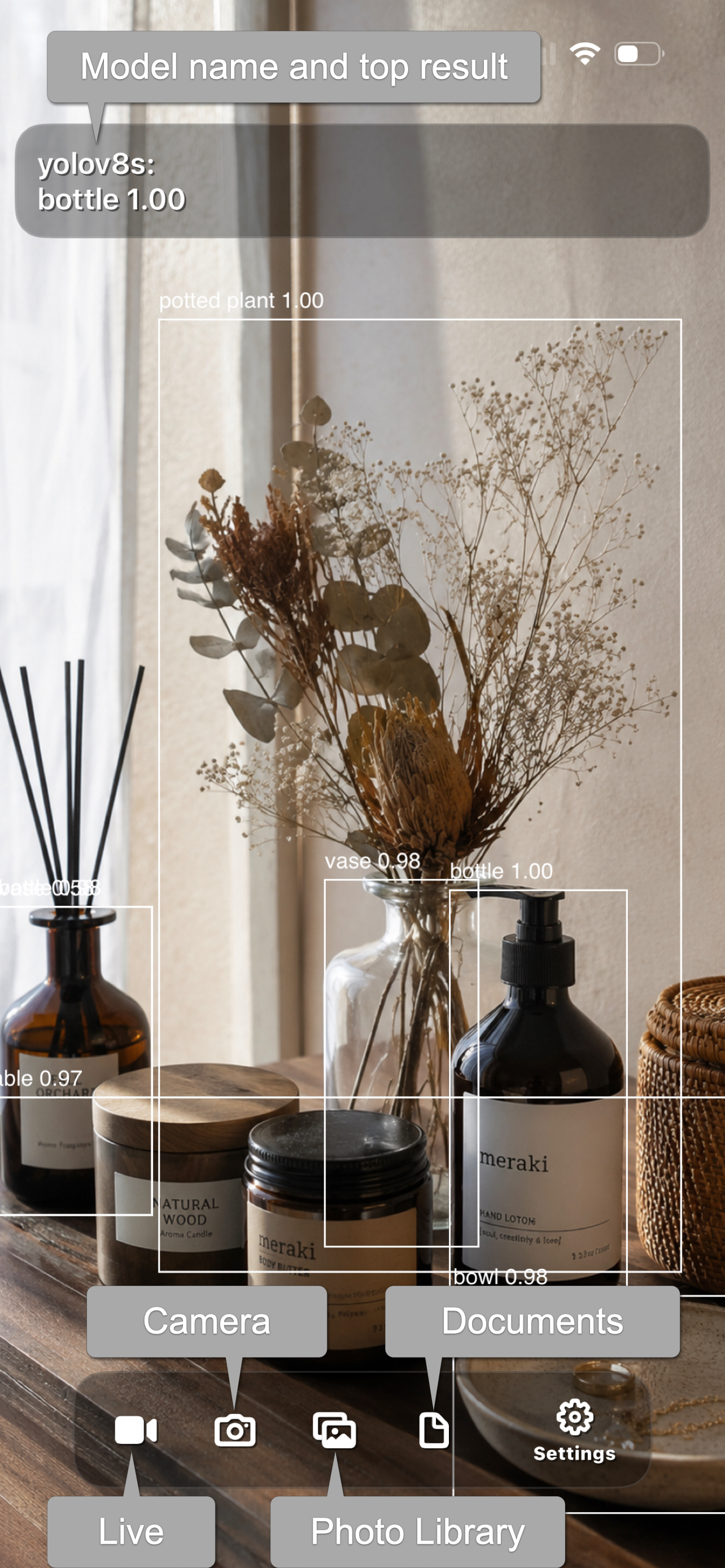
CoreML mode performs image analysis using Apple’s CoreML models.
Before using this mode, prepare a machine learning model in the CoreML format (.mlmodel) using tools such as Create ML.
Since all processing is performed on the device, image analysis is fast with very low latency and does not require a network connection.
Vision Detector executes CoreML models using Apple’s Vision framework. Depending on the model type, Vision returns results such as image classification, object detection, or image transformation.
Vision Detector supports the following types of CoreML models:
- Image classification
- Object detection
- Style transfer
Models without a Non-Maximum Suppression (NMS) layer and models that use MultiArray inputs or outputs are not supported.
Note: Vision Detector does not include any machine learning models. You must prepare your own CoreML models.
Copy your CoreML model to the iPhone or iPad file system.
The file system refers to locations accessible from the Files app, including local device storage and cloud storage services such as iCloud Drive, OneDrive, Google Drive, and Dropbox. You can also transfer models using AirDrop.
Launch Vision Detector and select your CoreML model to load it.
You can choose one of the following image input sources:
- Live video from the built-in camera
- Still image captured by the built-in camera
- Photo Library
- Files
For video inputs, continuous inference is performed on the camera feed. However, the frame rate and other parameters depend on the device.
## Vision LLM Mode
Vision LLM mode analyzes images using a Vision Language Model (Vision LLM).
A Vision LLM can understand both images and text, allowing you to ask questions about an image using natural language.
Vision Detector sends images to a Vision-enabled LLM through an API and displays the analysis results.
Features
You can ask questions about an image in natural language.
Examples:
* What is shown in this photo?
* What does the sign say?
* What is happening in this scene?
* Are there any potential hazards?
* Please describe this dish.
Vision Detector supports the following API providers:
* LM Studio
* OpenAI-compatible APIs
* Anthropic-compatible APIs
Notification Center
When Notification Center is enabled, Vision Detector can send notifications when specified conditions are met.
The notification conditions are defined in your prompt. For example:
Notify me via Notification Center whenever a person appears in the image.
Planned functionality will allow notifications to be delivered to all of your Apple devices signed in with the same Apple Account.
商店排名
商店排名基于 Google 和 Apple 设置的多个参数。
所有品类在
美国--
开发者工具在
美国--


 Vision Detector VS.
 八月 10, 2026