


10月10日的LightLayout for Philips Hue应用程序分析

LightLayout for Philips Hue
- Appsolute oy
- Apple 应用商店
- 付费
- 公共事业
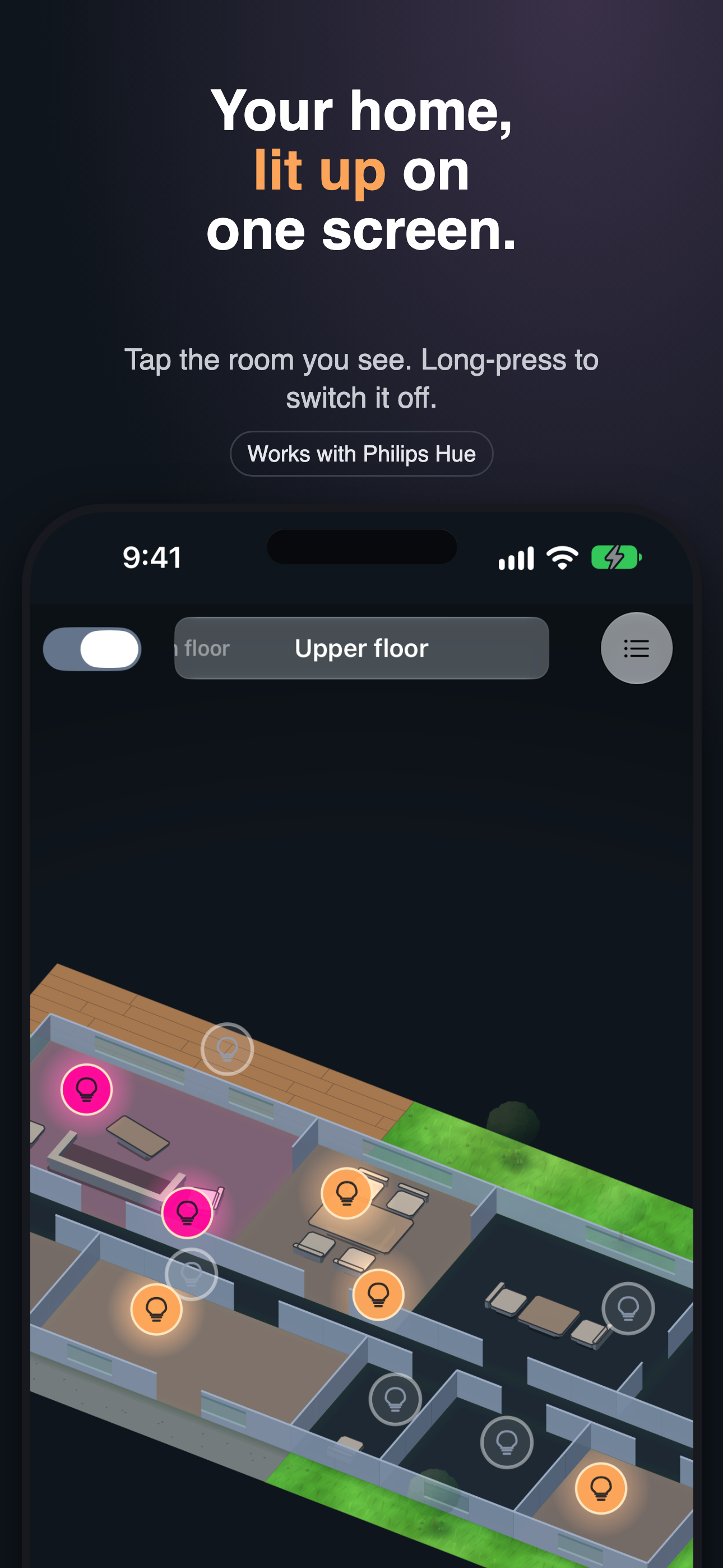
Your home isn't a list. LightLayout turns your Philips Hue rooms into an interactive floor plan, so controlling your lights is as easy as tapping the room you see on the screen.
See your whole home at a glance, spot which rooms are lit, and control them straight from the plan — at home or away. Tap a room for brightness, colour, white temperature, and the Hue scenes you already use. Long-press to toggle the whole room. Lift the plan into a 3D dollhouse view for a different perspective.
Creating your layout is quick and guided. LightLayout imports rooms and lights from your Hue Bridge and helps you place them on a simple grid — no drawing skills required. Add floors, cut doorways, drop windows, and place each lamp roughly where it sits so the plan glows like your home does. Furnish rooms with beds, tables, sofas, and chairs so each one is recognisable at a glance, and add Outdoor Areas — grass, decking, or asphalt — to give patio and garden lights a place on the plan too. You can even trace over a scan, photo, or PDF of an existing plan.
No Hue Bridge yet? Try the built-in demo home first.
Control
- Interactive floor plan for rooms and individual fixtures
- Brightness, colour, and white temperature for compatible Hue lights
- Recall the Hue scenes you've already created
- 2D plan or a rotatable 3D dollhouse view
- Optional remote access over mobile data or another Wi-Fi network
- Home Screen and Mac desktop widgets, plus Siri and Shortcuts support
Design your plan
- Guided editor: multiple floors, doorways, windows, room merge, split, and lock
- Indoor and Outdoor Areas — grass, decking, asphalt
- Furnish rooms with beds, tables, sofas, and chairs, in natural tones or your theme's colour
- Trace an existing plan from a scan, photo, or PDF
Everywhere you are
- Sync your floor plan across your Apple devices with iCloud
- Share one plan with your household, across Apple Accounts
- Keep working locally when iCloud is unavailable
- Reconnect automatically after network changes, sleep, or Bridge restarts
- Now available in English, Finnish, Swedish, German, French, Spanish, Italian, and Japanese
Simple by design
- Try the demo home without a Hue Bridge
- One purchase for all your iPhone, iPad, and Apple silicon Mac devices
- No LightLayout account. No subscription. No ads or tracking.
At home, LightLayout talks directly to your Hue Bridge over your local network. Optional Remote access uses a secure LightLayout gateway and the Philips Hue cloud when your Bridge cannot be reached locally. It is off by default and requires you to authorize your Philips Hue account.
Each device pairs with the Bridge and authorizes Remote access separately. Local Bridge credentials stay in secure storage on that device; remote Hue authorization is stored encrypted by the gateway. A shared floor plan never grants anyone access to your Bridge or Hue account.
Requirements: a Philips Hue Bridge and compatible lights. Initial setup requires the device and Bridge to be on the same local network. Remote access requires a separate Philips Hue authorization and an internet connection. LightLayout uses Hue Rooms (not Zones). Automations, entertainment areas, Sync Box, and gradient effects stay in the official Hue app.
LightLayout is an independent third-party app and is not affiliated with or endorsed by Signify. Philips Hue is a trademark of Signify Holding.
Privacy Policy: https://www.lightlayout.app/privacy/
Standard Apple Terms of Use (EULA): https://www.apple.com/legal/internet-services/itunes/dev/stdeula/
商店排名
商店排名基于 Google 和 Apple 设置的多个参数。
所有品类在
美国--
公共事业在
美国--


 LightLayout for Philips Hue VS.
 十月 10, 2026