

You’ve hit your search limit
Start your free trial to keep exploring full traffic and performance insights.
Get StartedAnálisis de la app RemoTV: Universal TV Remote para 16 de noviembre

RemoTV: Universal TV Remote
- EpicScale Inc
- App Store de Apple
- Gratis
- Servicios públicos
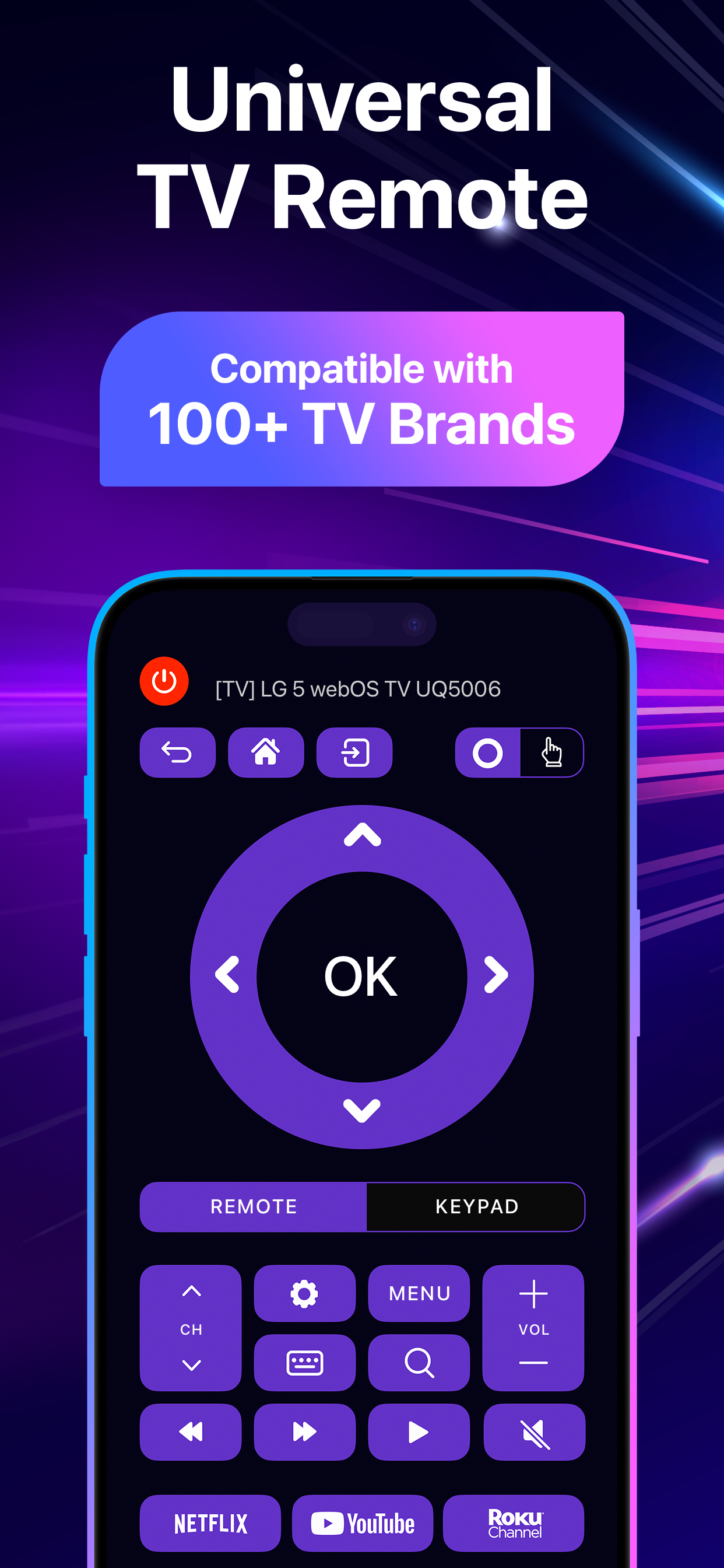
Lost the remote again? Turn the iPhone already in your hand into a universal remote that works with 100+ smart TV brands.
The remote disappears between the couch cushions, the batteries die, or the buttons stop responding—and the TV still needs turning down, pausing, or switching. RemoTV replaces your remote with your iPhone—volume, channels, playback, and TV settings, all in one place. Got more than one TV at home, or TVs from different brands? Control them all from the same app instead of keeping a separate remote—or a separate app—for each one.
Trusted by 4.5M+ users worldwide and rated 4.6 on the U.S. App Store.
With RemoTV, you can:
• Control your smart TV without worrying about compatibility. RemoTV works across a wide range of brands, so one app replaces every remote in the house.
• Connect once, then forget about it. Follow a quick first-time setup, then RemoTV reconnects automatically every time you open the app.
• Launch your favorite apps in one tap. Open YouTube, Netflix, Roku, Tubi, and more directly from your phone instead of digging through TV menus.
• Find what to watch faster. Type with your iPhone keyboard and glide through menus on the touchpad instead of selecting letters one by one.
• Cast to the big screen in seconds. Send photos and videos to your TV, or mirror your whole iPhone screen with a single tap.
UNIVERSAL REMOTE FOR 100+ SMART TV BRANDS
Everything the plastic remote did, minus the hunting: adjust the volume, switch channels, pause and fast-forward, and access TV settings. Your phone is already next to you, charged, and easy to find in the dark.
TYPE ON YOUR TV WITH YOUR PHONE KEYBOARD
Searching for a film title on a TV usually means moving a cursor over an on-screen keyboard, one letter at a time—and it's worse when you're signing in to an account. RemoTV lets you type searches and logins on your iPhone keyboard instead, then sends them straight to the TV.
TOUCHPAD FOR TV MENUS
Instead of tapping a direction button over and over, swipe on the touchpad to move through menus, scroll through a row of titles, and select what you want—the same gestures you already use on your phone.
ONE TAP TO YOUR STREAMING APPS
Shortcuts open streaming services like YouTube, Netflix, Roku, and Tubi directly on the TV, so you skip the trip across the home screen. From there, RemoTV handles supported playback while you watch.
CAST AND MIRROR FROM THE SAME APP
Holiday photos, a clip someone sent you, a recipe you want everyone to see: send them to the big screen with a tap, or mirror your whole iPhone screen via AirPlay. No second casting app, no cable.
CONTROL FROM ANY ROOM
The connection runs over your Wi-Fi network, not an infrared beam. So the remote still works from the kitchen, the hallway, or the far end of the sofa—wherever you are in the house.
FAQ
Q: Can I use my iPhone as a TV remote if I lost the physical one?
A: Yes. RemoTV works as a replacement remote for 100+ smart TV brands—volume, channels, playback, and TV settings included.
Q: Can I type on my TV using my phone?
A: Yes. Use the RemoTV keyboard to type searches, titles, and logins on your iPhone instead of the on-screen keyboard.
Q: Can I show photos and videos from my iPhone on the TV?
A: Yes. Cast photos and videos, mirror your phone screen via AirPlay, and keep using the same app as your remote.
Q: Do my iPhone and TV need to be on the same Wi-Fi network?
A: Yes. Once they’re connected, RemoTV reconnects automatically every time you open the app after that.
Download RemoTV, a universal smart TV remote and screen mirroring app for iPhone, and control every TV in the house—type instead of clicking, cast in a tap, and never dig for a remote again.
PREMIUM SUBSCRIPTION
- Subscribe for unlimited access to all app features.
- Subscriptions are billed automatically based on your selected plan.
By using RemoTV, you agree to our Privacy Policy and Terms of Use:
https://ascellamobile.com/remotv/privacy
https://ascellamobile.com/remotv/terms
Clasificación de tiendas
El Store Rank se basa en múltiples parámetros establecidos por Google y Apple.
Todas las categorías en
Estados Unidos--
Servicios públicos en
Estados Unidos#214
Principales competidores & aplicaciones alternativas
Aplicaciones con una alta probabilidad de ser utilizadas por los mismos usuarios, desde la misma tienda.

AI Remote:TV Remote Controller

Connect TV Remote

Universal TV Remote Control

Smart Remote Control & TV Cast
 RemoTV: Universal TV Remote VS.
noviembre 16, 2026