

You’ve hit your search limit
Start your free trial to keep exploring full traffic and performance insights.
Get StartedAnalyse de l'application One Man Band Live pour le 3 mai
One Man Band Live
- Jos Maas
- App Store Apple
- Payant
- Musique
Change your digital piano or synthesizer into an arranger keyboard with realtime auto-accompaniment. Or use your iOS device on its own as a realtime arranger and be creative while traveling
Connect your iPad, iPhone or iPod to your keyboard instrument with the camera connection kit and an USB AB cable or a MIDI interface cable (depending on what your keyboard uses for MIDI). Then start One Man Band and select the Settings button. Choose the MIDI In and MIDI Out port to your keyboard and press Done. Now select the red Presets button and choose one of the style/voice combinations.
When you play a chord on the leftside of your keyboard instrument, the accompaniment will start to play. You can play the melody on the right side of the keyboard, it will have harmonies and instrument layers depending on the chosen voice. Select different style variations (Main, Fill, Intro, Ending) while you play. Switch to different accompaniment styles and melody voices with the buttons on top. Press Record and set the switch on to record MIDI files.
When you don't have a keyboard instrument (yet) or can't make the connection at the moment, then there are options to use the iPad/iPhone/iPod as an accompaniment instrument on its own. Select the soundfont player at Settings/Ports/MidiOut and use the virtual keyboard to play chords and melody.
One Man Band utilises standard style files compatible with the styles used in Yamaha PSR, DGX and Tyros arranger keyboards. There are thousands of these styles available on the internet. When you copy a zip-file with styles to OMB (download, email, icloud), the styles will be placed in a new style folder with the same name as the zip-file.
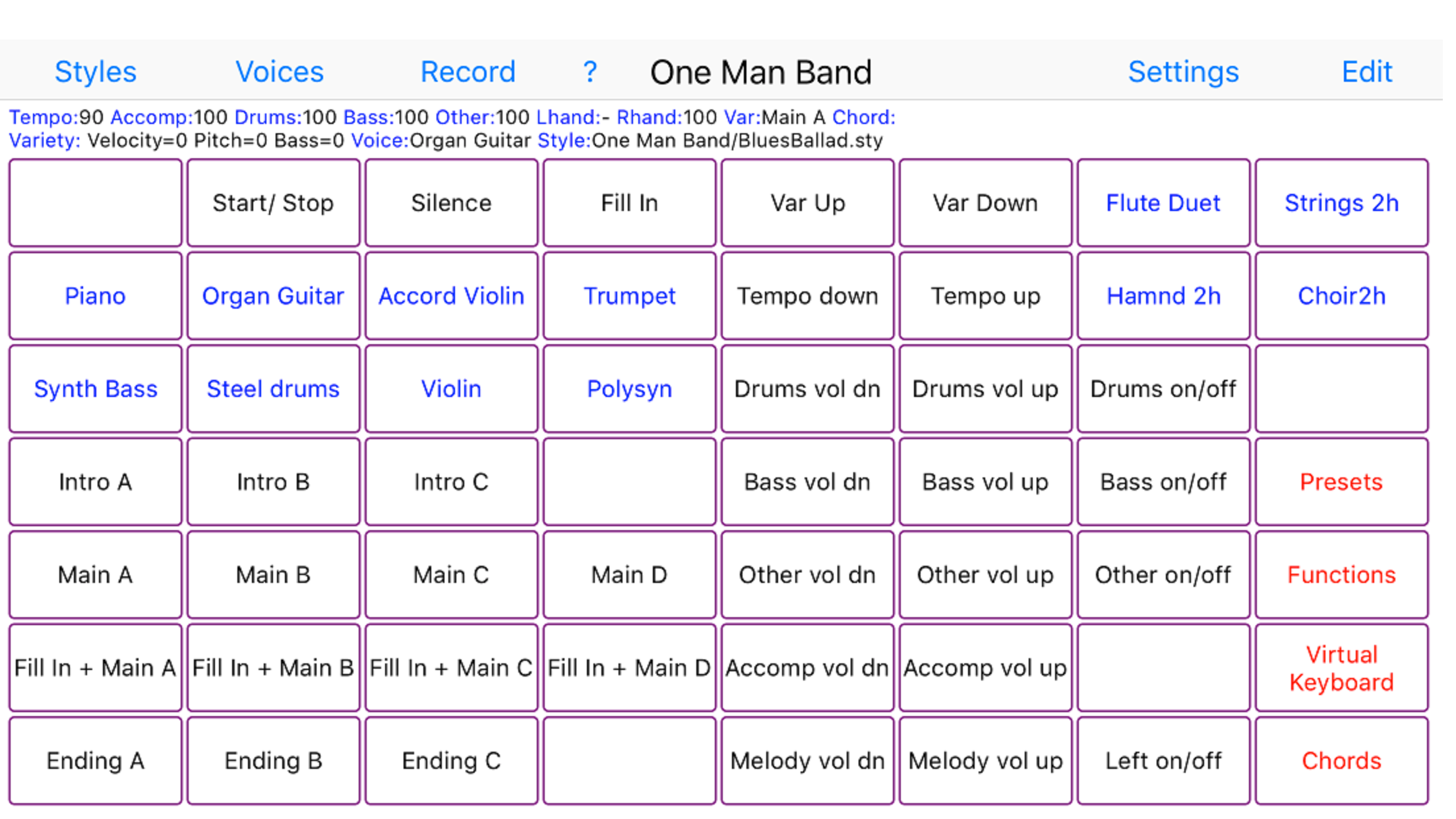
The panel with 56 buttons is customisable. You can assign a function, voice, preset, chord or note to each of the buttons (except for the button top left) and create submenus with again 56 buttons each. Create your own voices with harmonies and instrument layering.
There is also a free version (One Man Band Lite) in the App Store.
Classement dans le store
Le classement des stores est basé sur plusieurs paramètres définis par Google et Apple.
Toutes les catégories dans
États-Unis--
Musique dans
États-Unis--
Principaux concurrents & apps alternatives
Applications ayant une forte probabilité d'être utilisées par les mêmes utilisateurs, à partir du même store.

xMure - Music Arranger

bismark bs-16i
Steel Guitar PRO

MKSensation Xtreme
 One Man Band Live VS.
 mai 3, 2026