





Top Ecommerce Companies in the USA: The 100 Brands Winning the Traffic Race in 2026
by Inbar Eytan6 Min.
Aug 30, 2026

You need to move fast in the digital world. Because everything’s in flux. Opportunities, challenges, competitors, and even strategies. And that’s why we’re constantly evolving Similarweb. To help keep you at the forefront of your field online.
Here’s how we improved the platform in 2021, and how those changes drive your results.
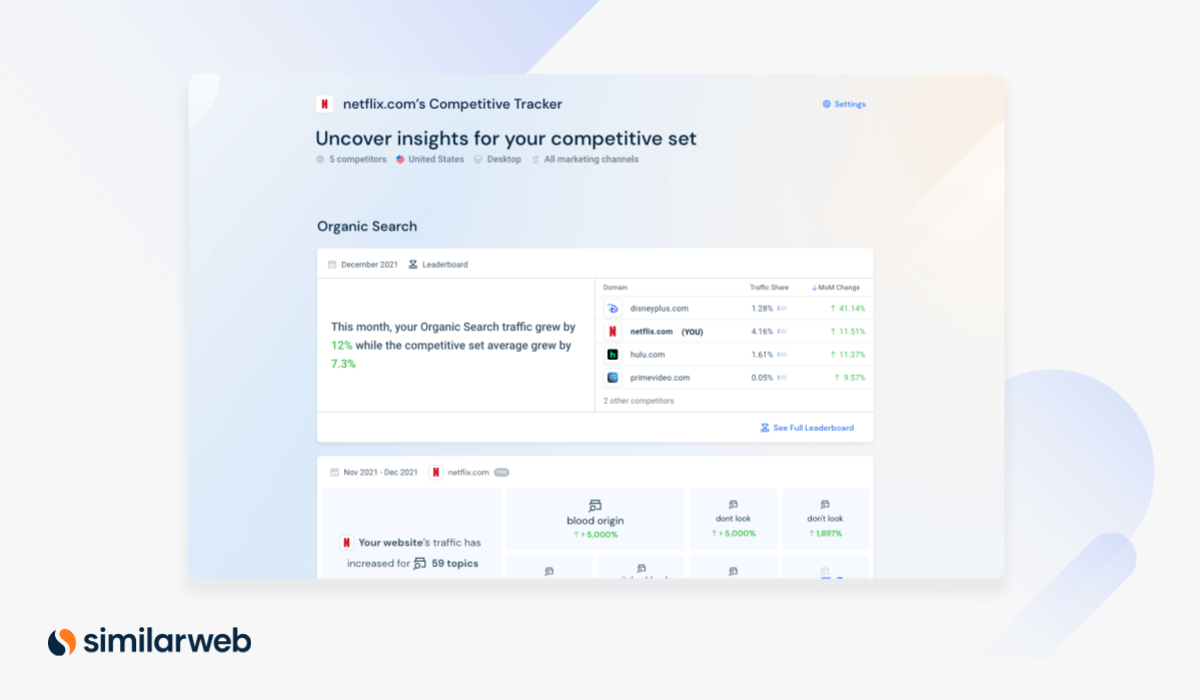
Easily track and monitor competitors’ websites and get actionable insights.
The Competitive Tracker provides updates about any website’s performance across digital channels. With it, you can track up to 10 competitors’ websites side by side – and uncover traffic trends as they break.
This tool helps you:
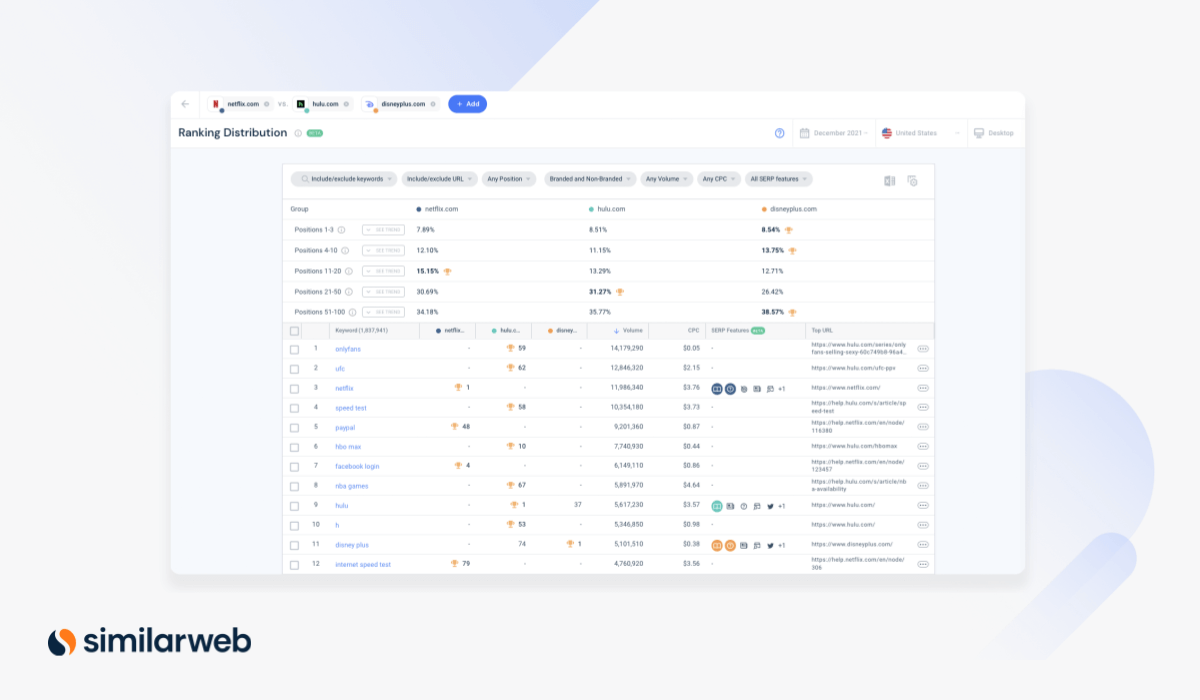
Monitor site ranking trends on Google SERPs.
Ranking Distribution is a powerful tool that provides you with a quick and thorough understanding of how well any website is ranking on Google over time. So you can easily discover the keywords for which any site ranks in the top three positions (or top 10, 20, you name it). You can even see any website’s ranking distribution to compare your performance to your competitors and compare trends.
This tool can help you:
Get insights to conquer more SERP features.
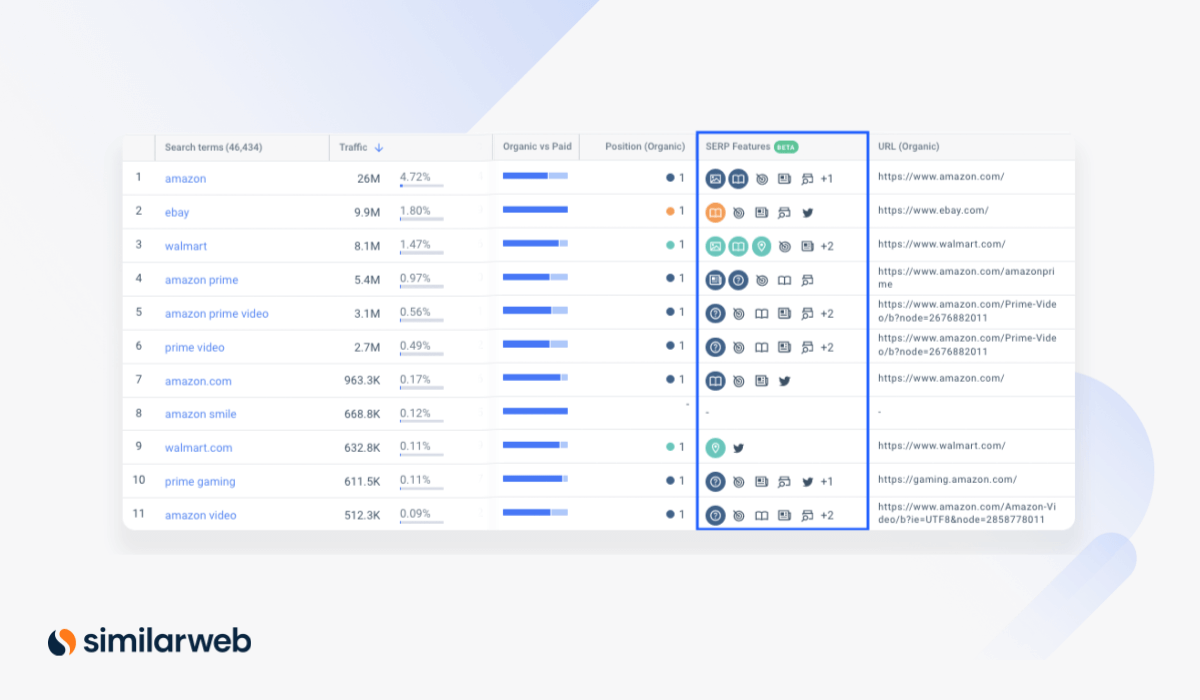
SERP features are the additional elements that appear alongside classic results after a Google search, like rich snippets, images, reviews, FAQs, and more. In 2021, we added SERP feature data for any keyword.
This tool can help you:
Discover the keywords that actually drive traffic.
You know how when Googling, you often get the answer to your query at the top of the search results page without needing to click on a result? This is a “zero-click” search, resulting from SERP features like Quick Answers, Knowledge Boxes, and Top Stories (news).
We made the zero-click % metric available within several of our keyword research tools.
This feature can help you:
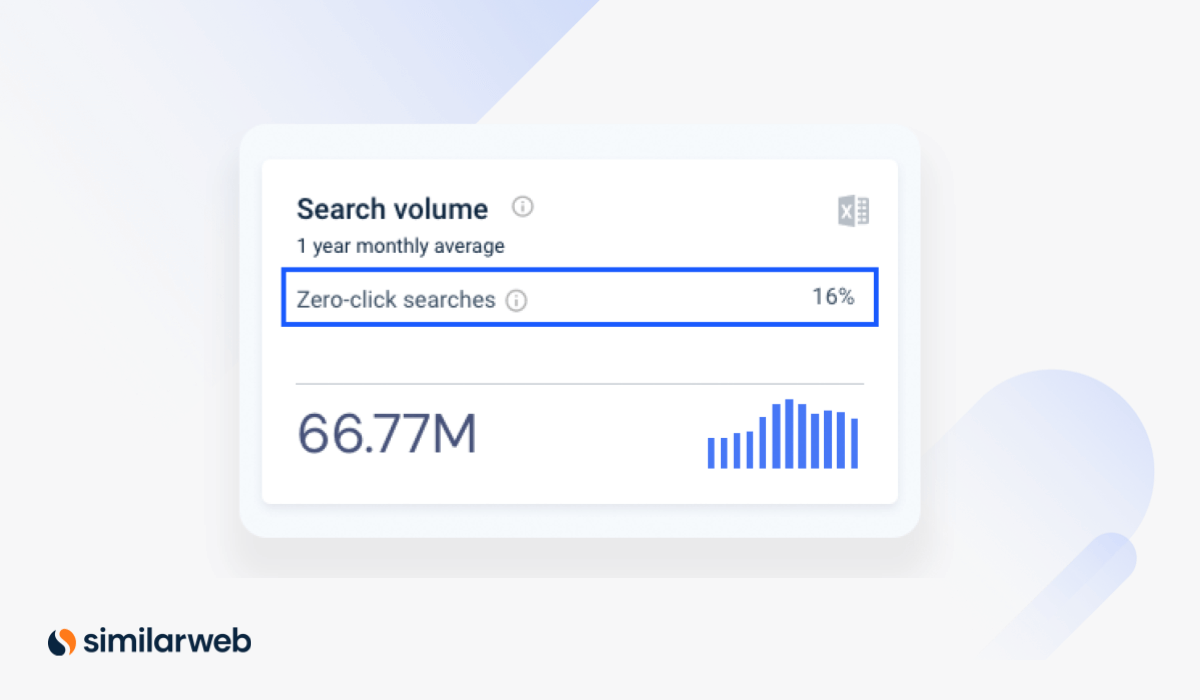
Monitor your ranking on Google and grow your keyword list.
The SERP Snapshot tool gives you a quick summary of the search engine results page for any keyword, including the top results (and changes in rank), as well as SERP features that are present.
This tool can help you:
Get an understanding of who your keyword competitors really are.
To provide you with an in-depth view of exactly who you’re up against for organic or paid traffic, we’ve improved our search competitors’ pages. Your competitive set may surprise you, as the list of domains may be very different from your well-known competitors, especially for a specific time period or geography.
This tool can help you:
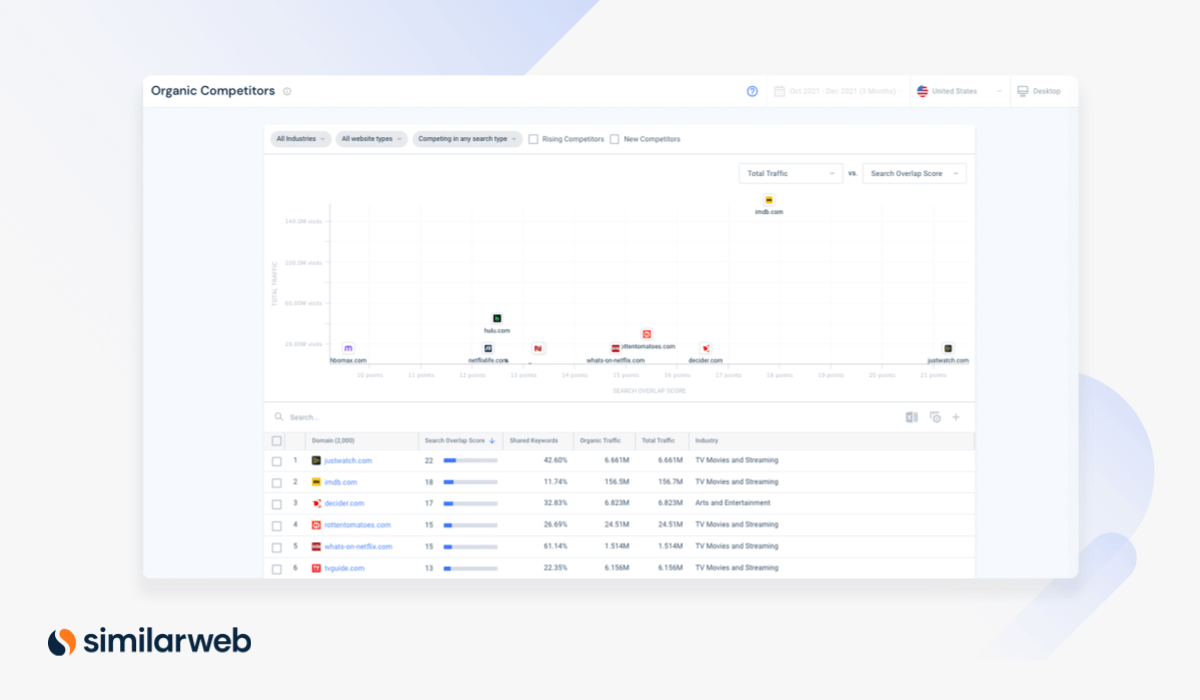
Analyze which keywords are sending traffic to you vs. your competitors.
Our Keyword Gap tool is a powerful tool for competitive keyword research. If you’re a content or PPC manager, the insights can provide you with a crystal clear understanding of which keywords to prioritize to win (or maintain) traffic share from competitors.
This tool can help you:
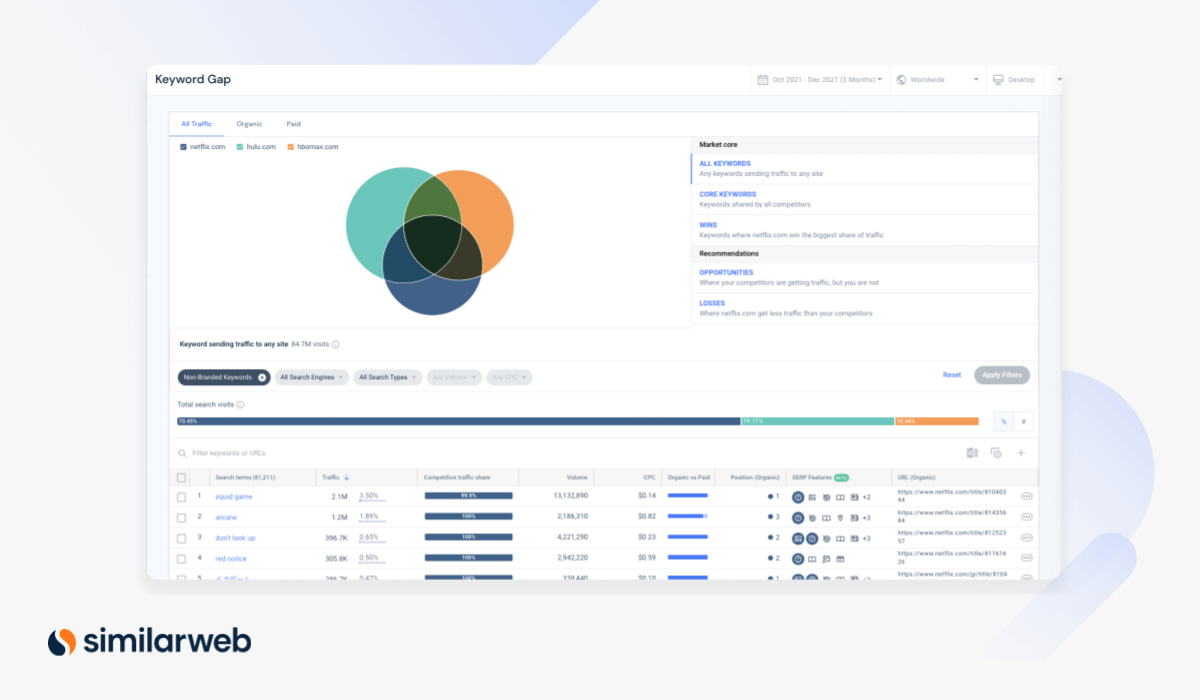
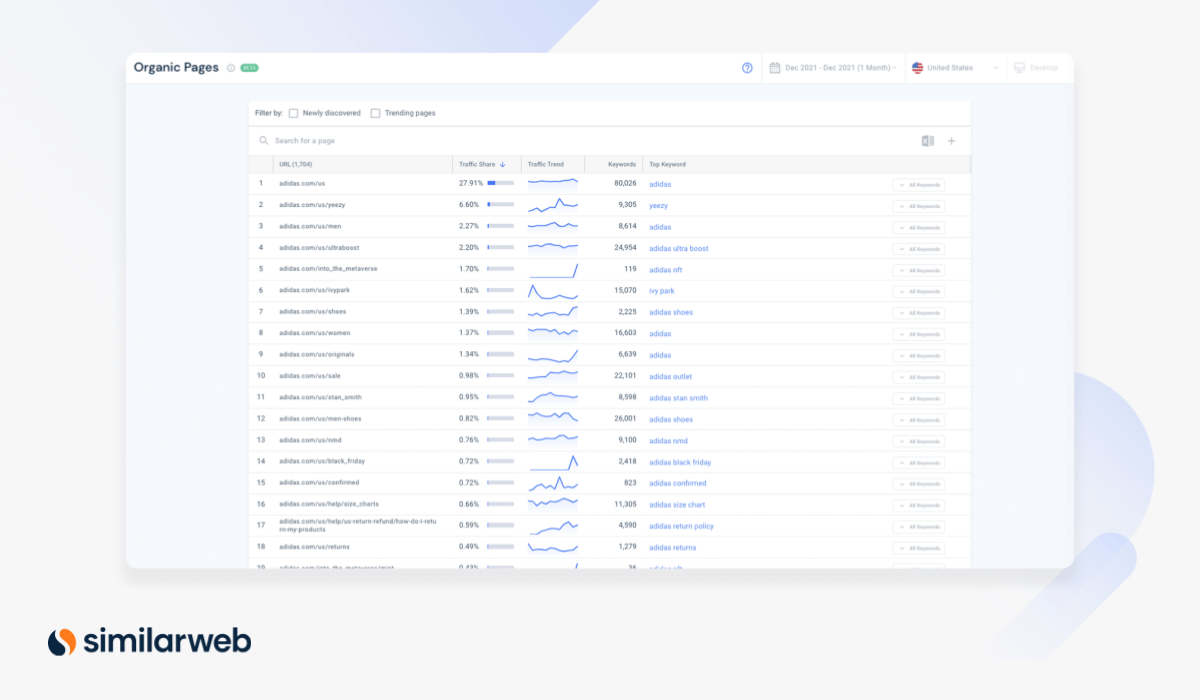
Identify the SEO strategies of the pages driving the most traffic.
With the Organic Pages tool, you can discover a competitor’s most popular organic pages (by traffic) to reverse engineer their tactics and keywords.
This tool can help you:
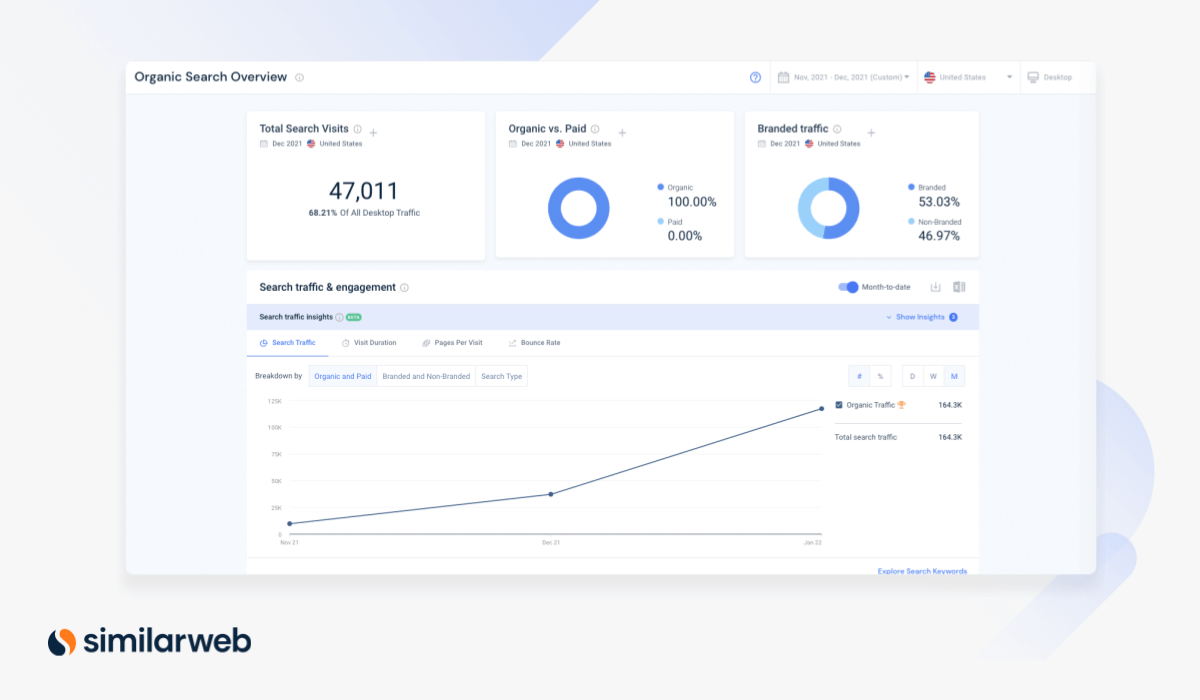
Quickly Identify SEO opportunities at a glance.
The Organic Search Overview page offers a bird’s eye view of your domain’s overall organic performance against your competitors. Get familiar with any website’s search traffic, engagement, and top keywords, then explore each metric in depth.
This tool can help you:
Generate thousands of high-intent keyword ideas.
Finding the right keywords to drive purchases is a challenge ecommerce professionals are facing, in a constantly evolving landscape. With the Keyword Generator update, you get high visibility to top Amazon keywords, complete with monthly search volumes and traffic metrics.
This tool can help you:
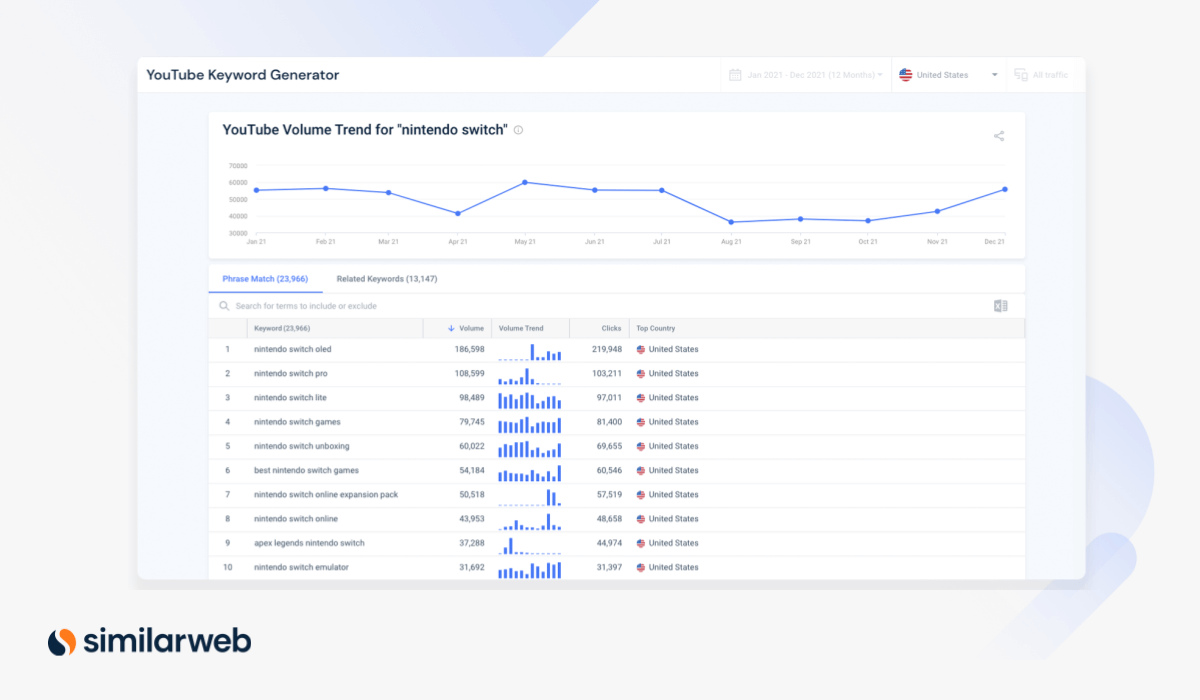
Grow your traffic by finding top keywords for video marketing.
YouTube SEO has become an important digital strategy component. After all, it receives 8.4% of total search traffic. More searches per month than Bing, Yahoo, AOL, and Ask.com combined. So we’ve added YouTube search data to the Keyword Generator tool. Now you can easily discover which keywords to create or optimize video content for.
This tool helps you:
A new and improved way to estimate keyword volume.
We’re dedicated to delivering the industry’s most reliable and accurate digital intelligence data, and in 2021 we made a massive improvement to the way we calculate keyword search volume.
What’s changed?
In a nutshell, we now supplement the data we receive from Google Ads API with our own behavioral and publicly captured data. We call this a “hybrid” calculation, as it’s now based on several distinct data sources, leading to greater confidence in the result.
Learn about the issues we’ve tackled and how we addressed them with Hybrid Keyword Volume.
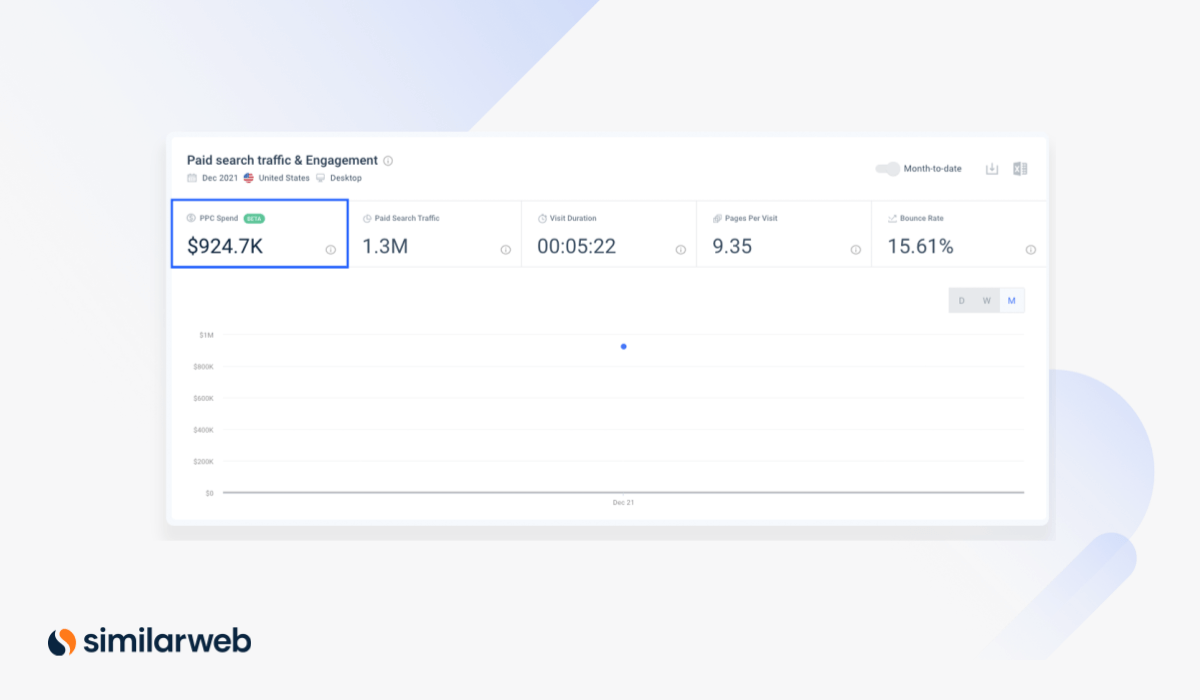
Reveal and analyze competitive ad spend budgets for paid search.
Understand competitors’ estimated ad spends, potential budgets, and how they deliver on paid search strategies with PPC Spend. This is an essential feature for PPC managers who analyze budgets for paid search and create short- and long-term strategies.
This feature can help you:
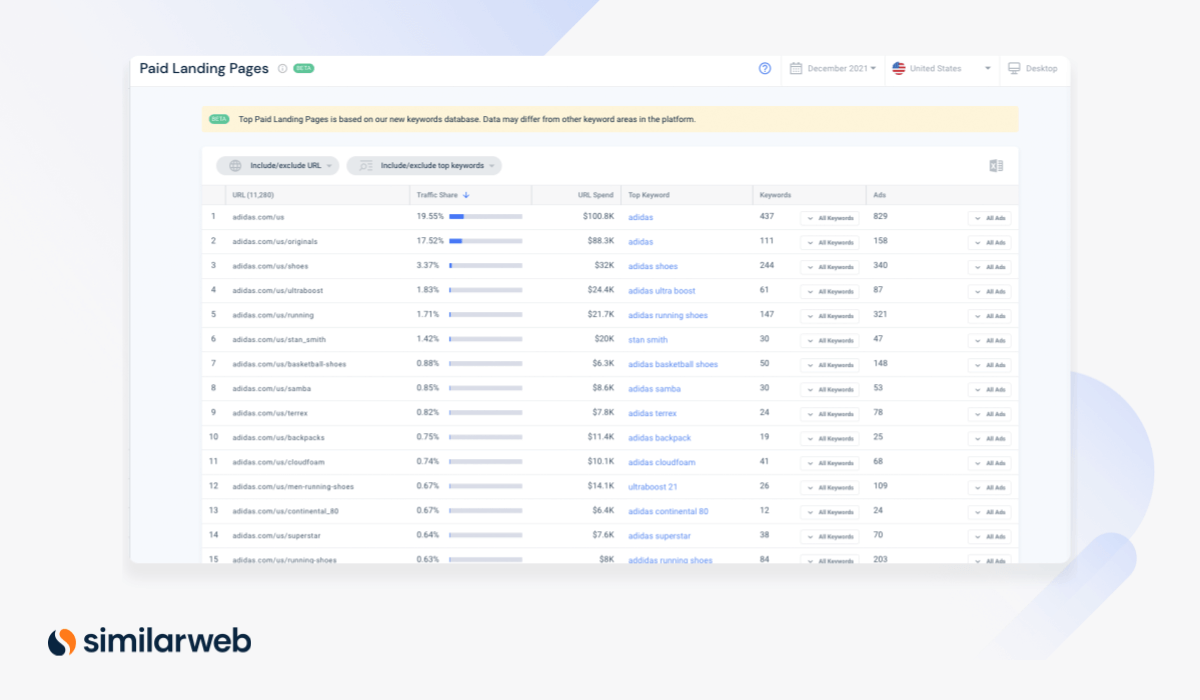
Reveal the best-performing paid campaigns driving traffic to any website.
The Paid Landing page feature enables performance marketers and PPC managers to make strategic decisions that will drive maximum ROI from their own campaigns. Use this tool to find and evaluate your competitors’ top landing pages, and gain deep insights on the effectiveness of their campaign performance.
This tool can help you:
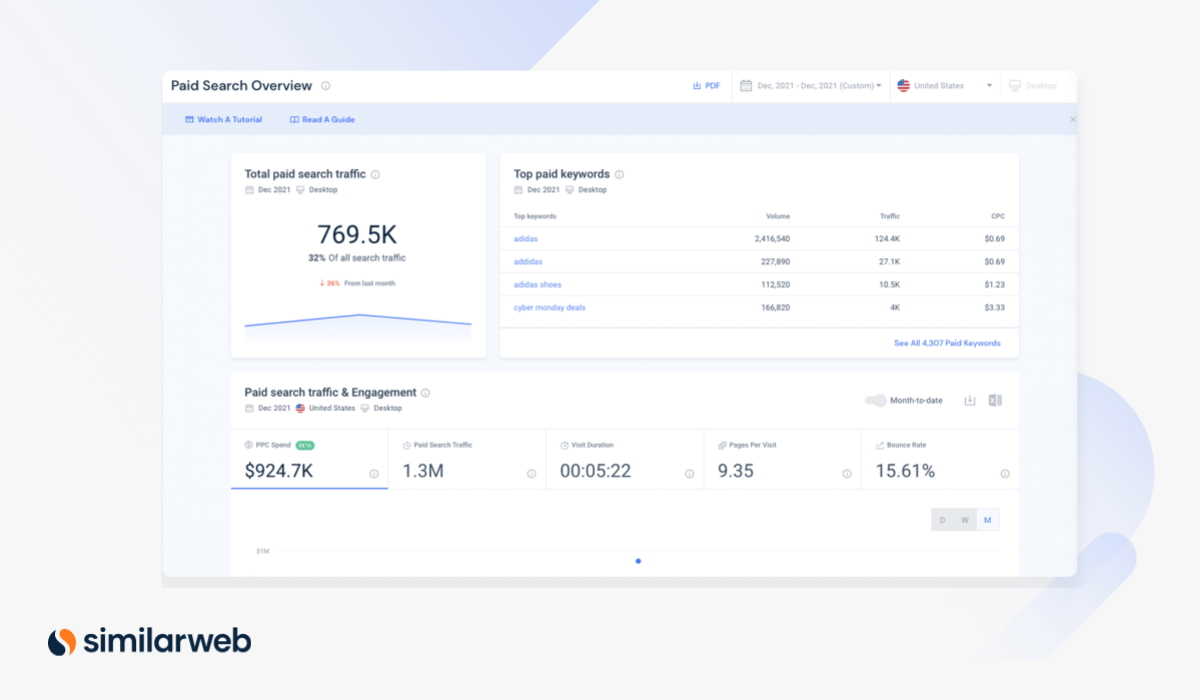
Get a holistic view of any website’s paid search activity.
The Paid Search Overview page provides a summary of key insights into the traffic paid search drives to your site and lets you compare against your competitors. PPC managers and performance marketers get the data they need to understand the budgets, keywords, and ads driving competitors’ paid search campaigns.
This tool can help you:
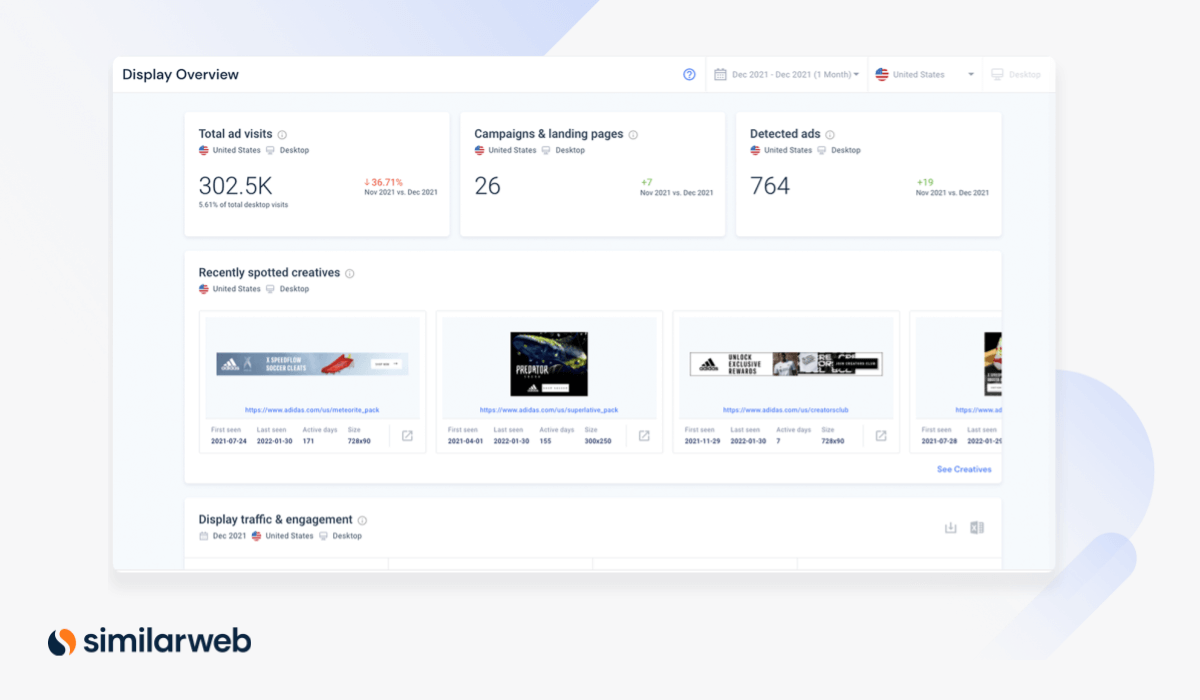
Get a summarized view of your competitor’s display traffic strategy.
The Display Ads Overview page gives you a holistic view of competitors in their display traffic. Quickly analyze live ad creatives and messaging to identify your competitors’ best-performing campaigns.
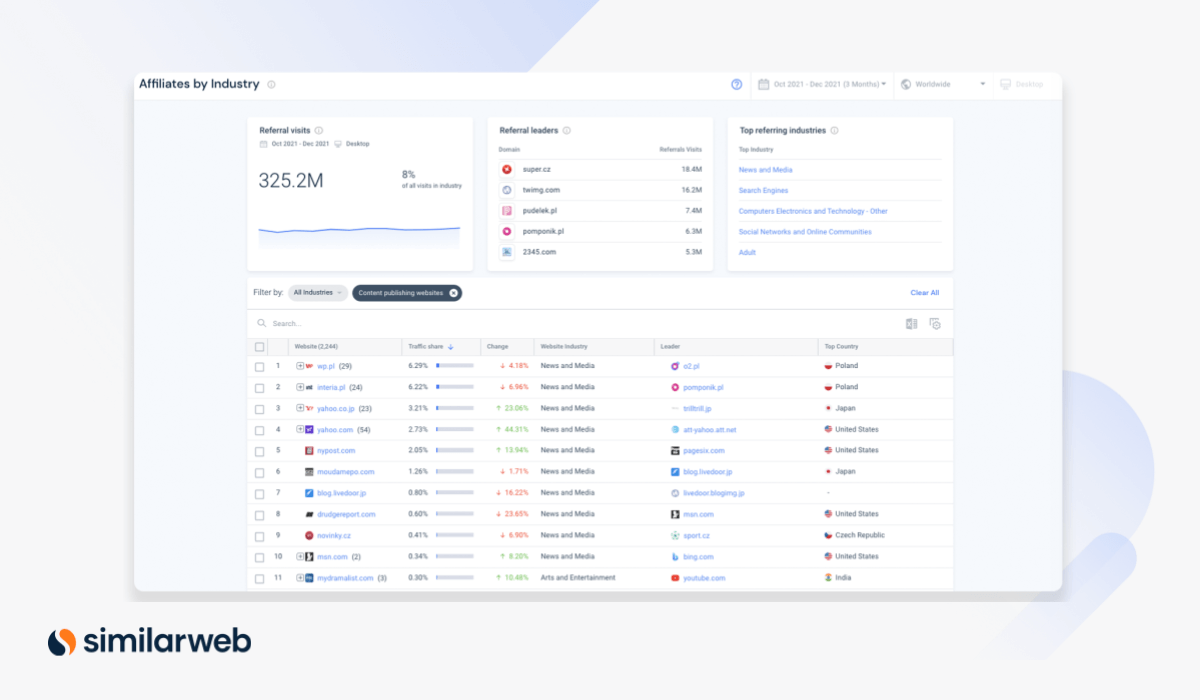
Find high-performing affiliate partners from any industry.
If you’re an affiliates or partnerships manager, hunting for new partners within your industry (or looking to branch out to potential affiliates in other markets) this is the tool for you. Get to know referral traffic at an industry level to discover relevant opportunities and top referral domains sending traffic to websites.
This tool can help you:
Get a detailed catalog of your competitor’s display ads.
Our Creatives tool is a powerful way to get a look at your competitors’ creatives across all of their campaigns. Get insights on the ad format, brand messaging, and ad copy being used across any digital campaign.
We added new countries to the mix in 2021, so now you can analyze display ad creatives from places like Brazil, Russia, Italy, Greece, and many more.
Build an in-depth view of any company’s digital footprint.
Company Analysis provides visibility into any business’ market size and performance. Now, you can define any company based on the multiple websites or domains it owns to reveal its digital reach. Then, easily benchmark against competitors.
This tool helps you:
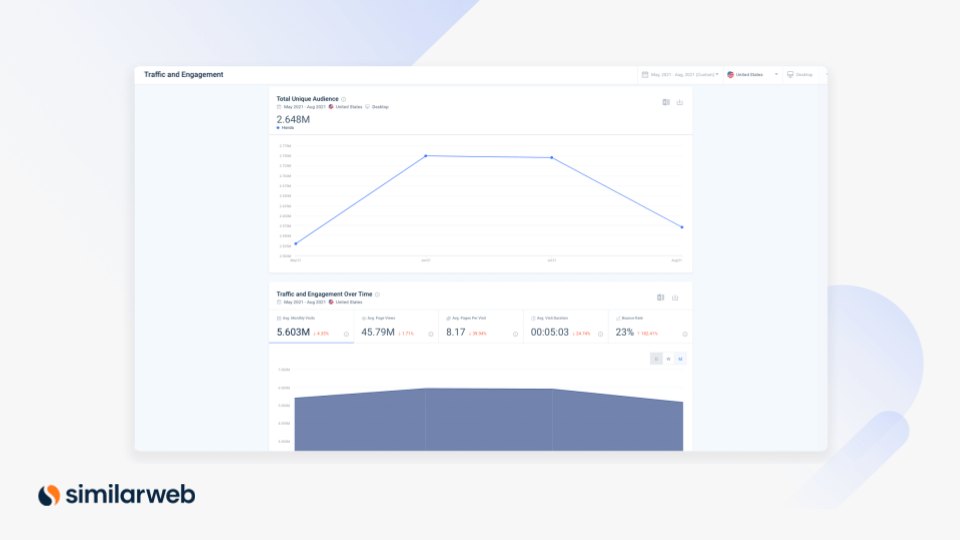
Effortlessly track and monitor your digital market share.
Competitive Tracking delivers an aggregated view of a company’s digital performance against direct competitors. With it, you can monitor your competitive landscape and surface insights based on changing market dynamics.
This tool helps you:
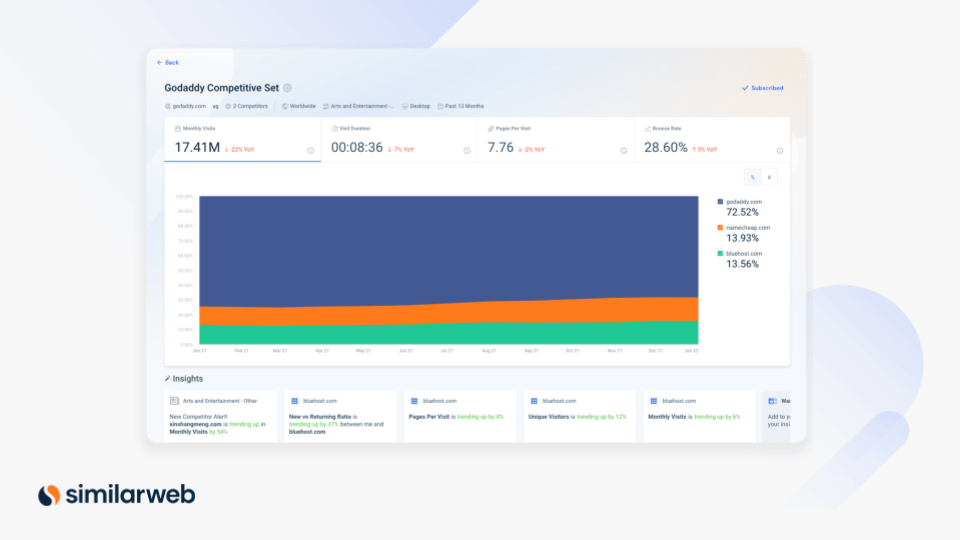
Take your competitive research deeper, with powerful enhancements that enable you to segment websites across business lines, products, or topics.
We’ve added exciting new Segment Analysis tools:
Discover traffic sources and engagement across segments.
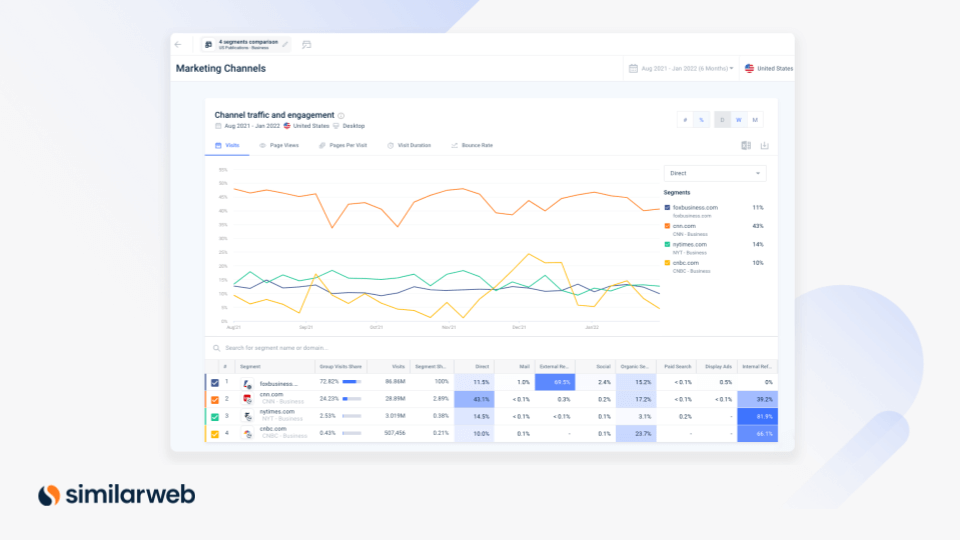
The Marketing Channels page provides an unrivaled view into a website’s traffic sources, so you can deep dive into each segment’s traffic and engagement. Discover the leading channels generating traffic for each segment – like direct, organic search, social, email, display ads, and more.
This tool helps you:
Analyze market segments across regions.
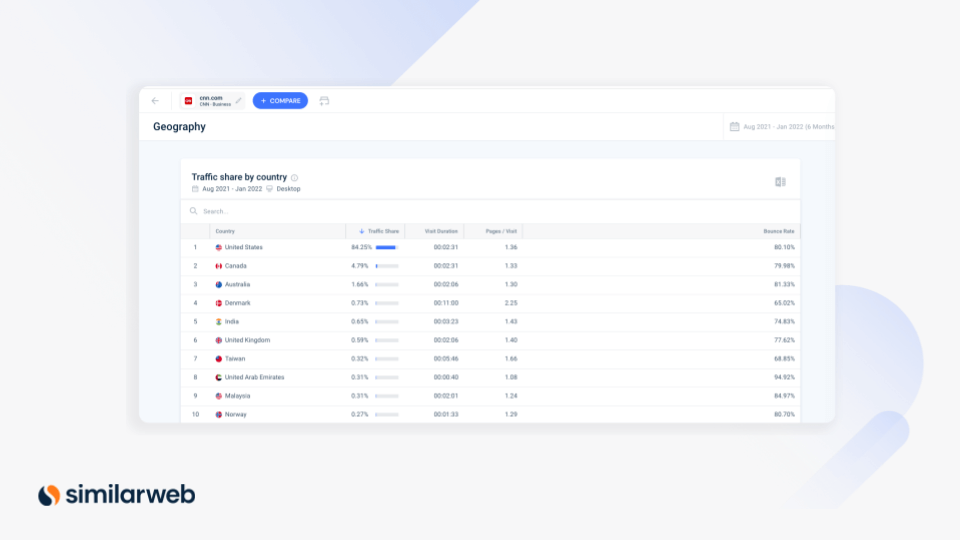
The Geography page enables you to view and analyze the traffic share per country for a website segment. Deep dive into the web behavior of a particular market segment, in a specific location.
This tool helps you:
Connect segments and conversion data to your workflow.
Similarweb’s new standard API capability lets you integrate traffic and engagement metrics from Segment Analysis into your reporting workflow. Use data visualization tools like Google Data Studio and Tableau to seamlessly centralize your data sources.
This tool helps you:
Analyze the traffic of a specific website’s page.
This feature makes it possible to isolate and measure a target URL, so you can analyze a domain’s homepage, landing page, main category page, or product page. Simply paste URLs of selected pages or folders and measure the page’s traffic, excluding traffic from subpages.
Measure the market size and audience overlap for any website.
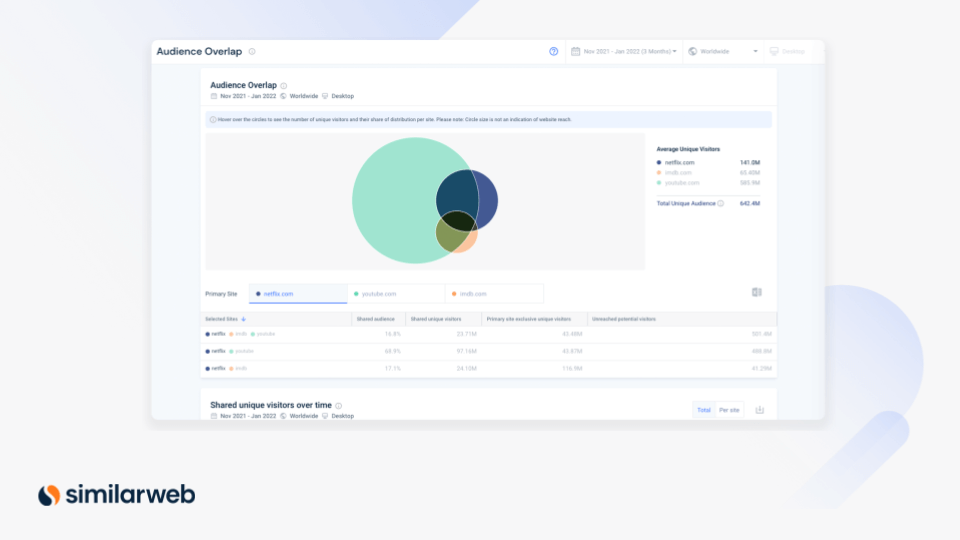
Audience Overlap enables you to analyze, compare, and gain valuable insights on unique and shared audiences across multiple websites. With this tool, you can determine the total size of an audience, then benchmark your performance to learn how much traffic you and your competitors share – and discover untapped opportunities.
This tool helps you:
Analyze the retention of website visitors for competitor analysis.
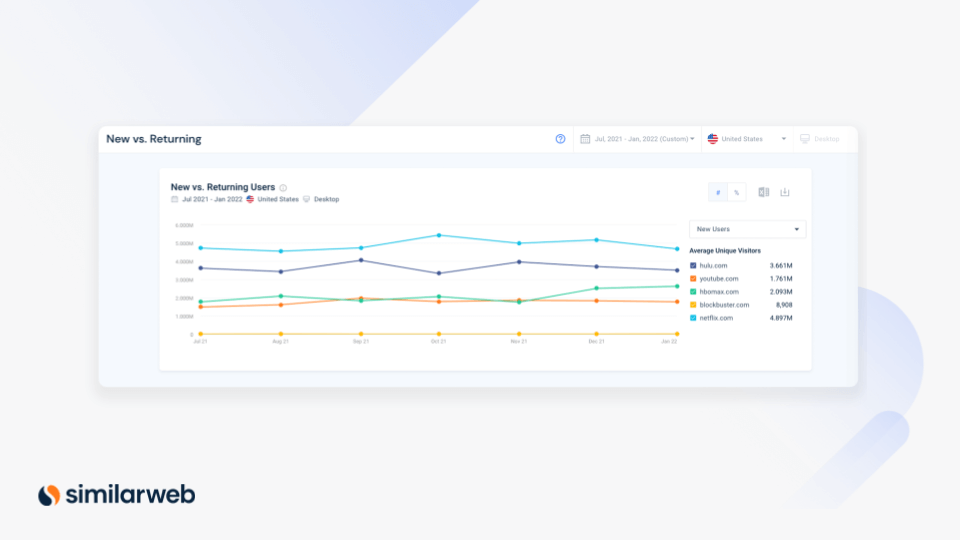
With this audience measurement feature, you can track the user engagement level and discover the number of new vs. returning site visitors. Use these insights to measure the success of your customer acquisition and retention strategies and benchmark against competitors.
Analyze audience loyalty across your industry.
Determine audience loyalty by measuring the proportion of monthly active users (MAUs) who visited one site versus other sites within your custom industry. Enhance your research, reporting, and audience loyalty measurement with increased flexibility.
Discover the top search trends in your industry.
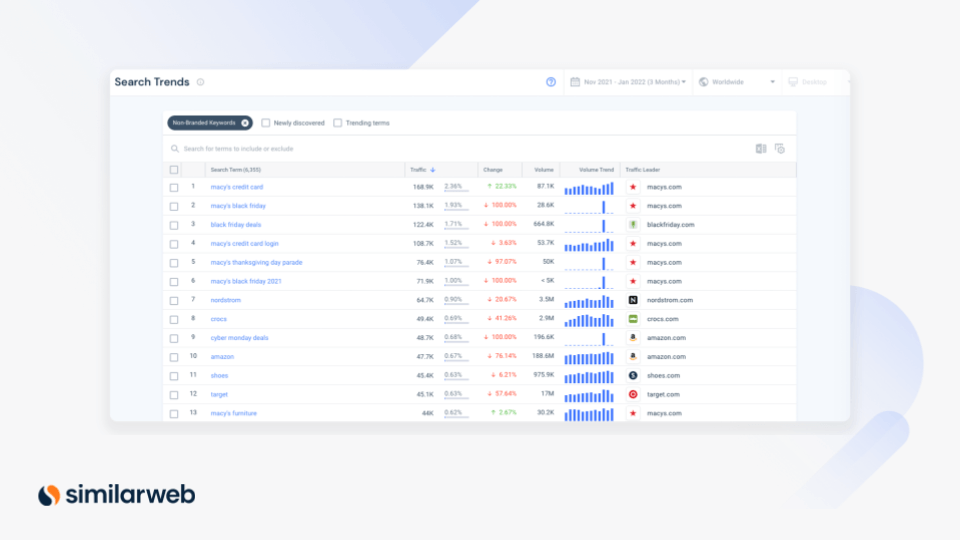
Search Trends provide insight into current industry trends. Use this tool to understand market demand and user search intent based on keywords.
This tool helps you:
Expand your keyword search to gain a holistic view of the market potential.
Search Interest Analysis enables you to analyze web traffic based on what people are searching for. You can start with just one keyword and take advantage of the Related Search Term filter to generate up to 100 additional search terms with the click of a button.
This tool helps you:
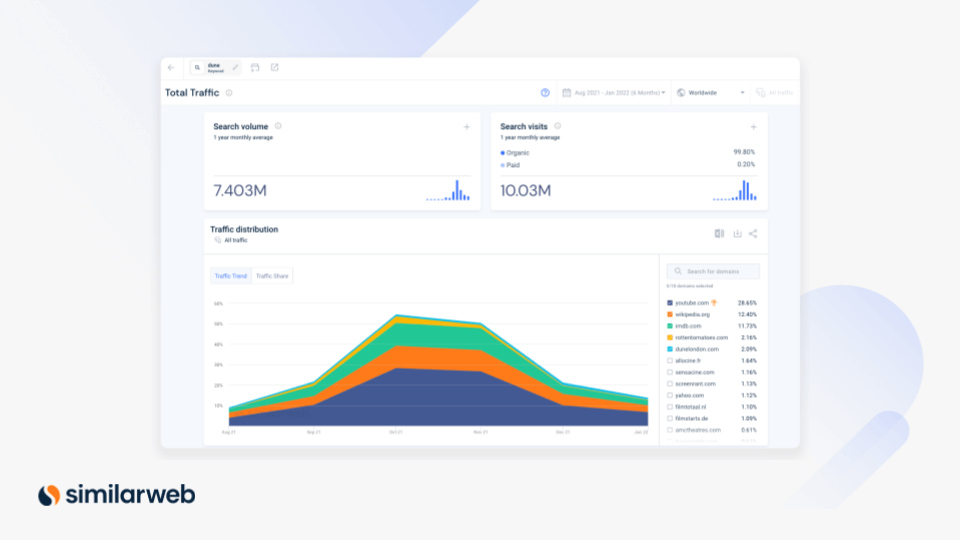
Size your market by measuring the number of people behind the visits.
Size your market opportunity (Total Addressable Market) and calculate the number of people behind the aggregated traffic and engagement data.
This tool helps you:
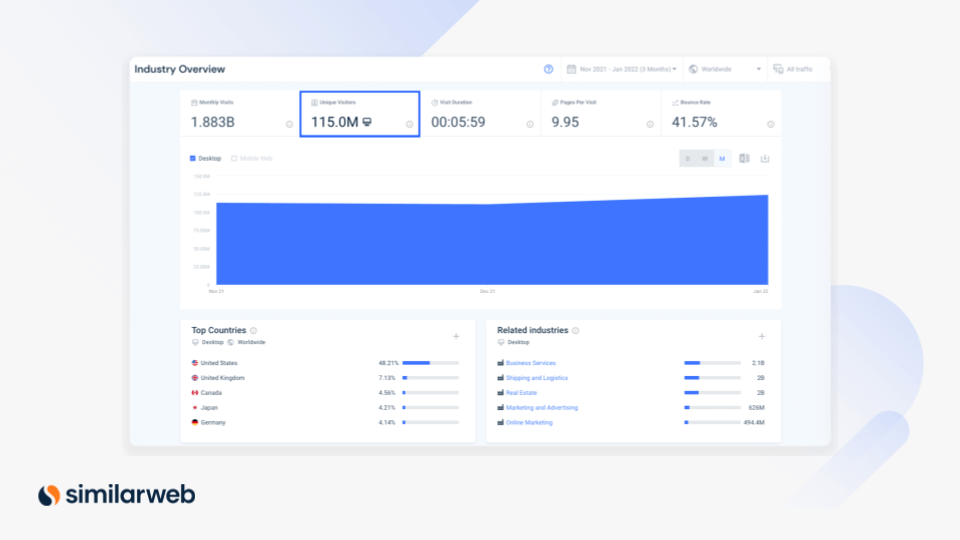
See how a player’s position changes over time.
The Market Quadrant Analysis graph under Industry Leaders now includes additional historical data (up to the last three months) to track rising players, and how they change position from quarter to quarter.
This tool helps you:
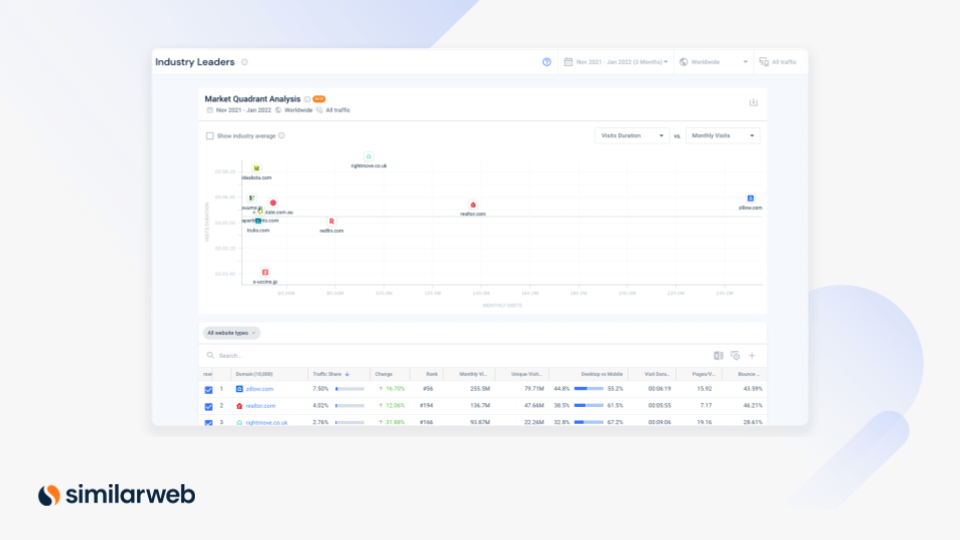
Our most intuitive Lead Generation experience yet.
The Lead Generator provides a fast, intuitive experience for finding and qualifying relevant leads. Filter your criteria to get results in real time and find leads that match your ideal customer profile. Maximize your results with new filters, including:
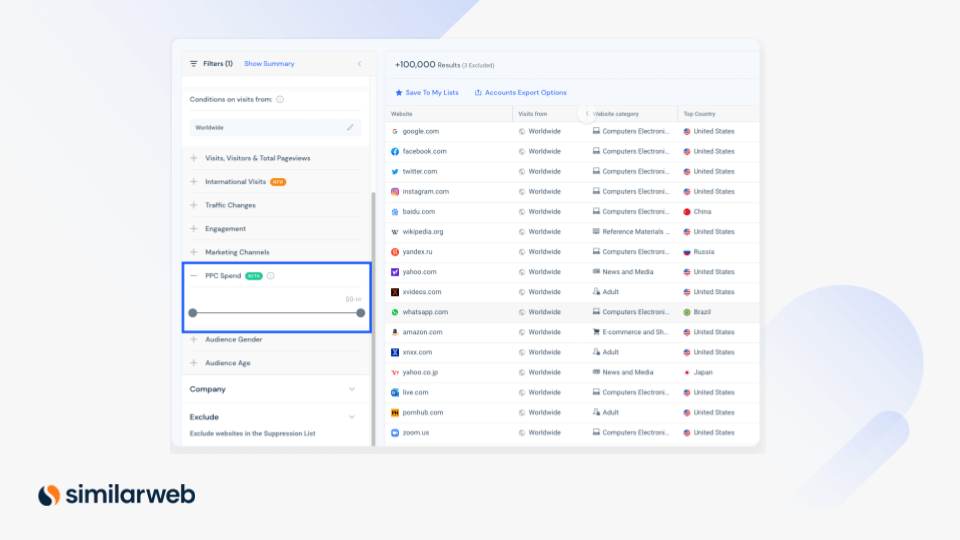
Easily target companies based on their ad spend.
Find and monitor companies based on their PPC spend (say, companies that spend at least $2 million on ads). This filter is perfect for any B2B company looking to find viable prospects based on ad spend.
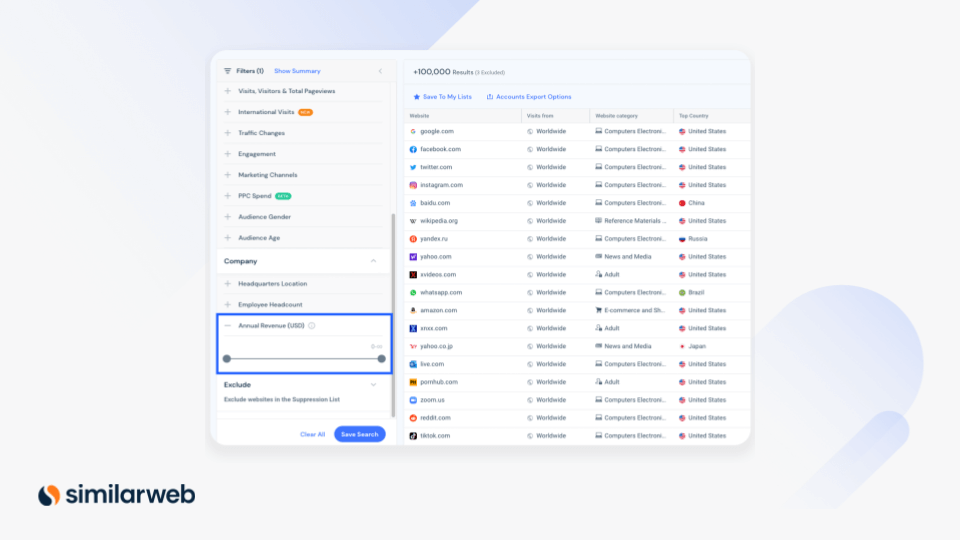
Reveal a company’s revenue to help build your territories.
Filter leads by annual revenue. Build and prospect your territories based on companies within a specific range of annual revenue.
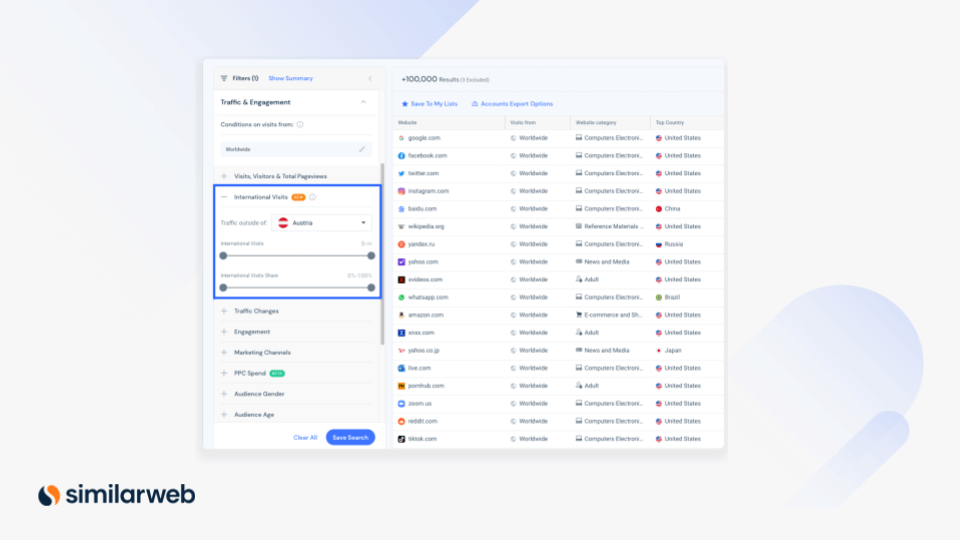
Find prospects who receive a significant number of international visitors.
Discover companies with a traffic share outside their main geography. This new filter is useful for identifying international growth opportunities. For example, if you’re a shipping company searching for new business potential.
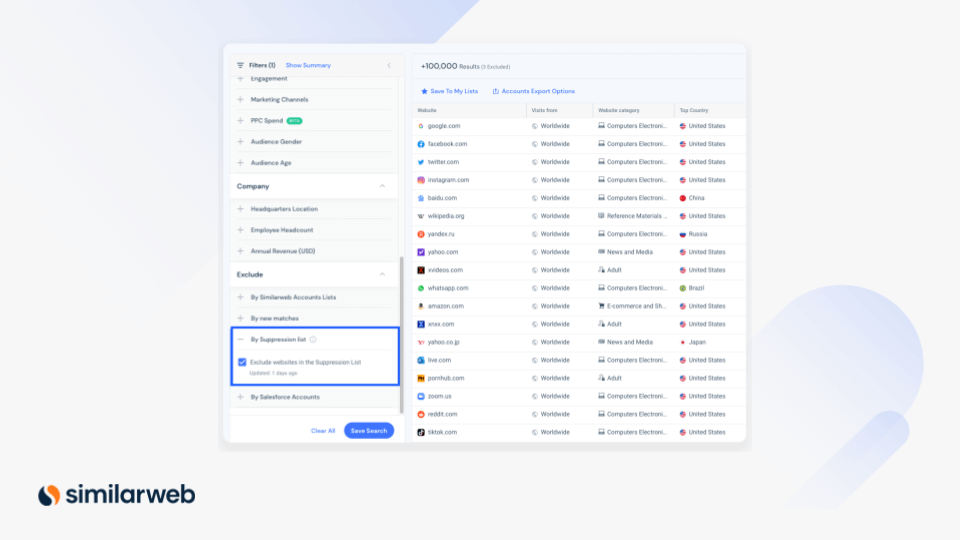
Deduplicate accounts that already exist in other lists or your CRM.
Exclude irrelevant accounts based on a centralized suppression list with this filter. For example, deduplicate customers or prospects you’re already working with, to focus on net new opportunities.
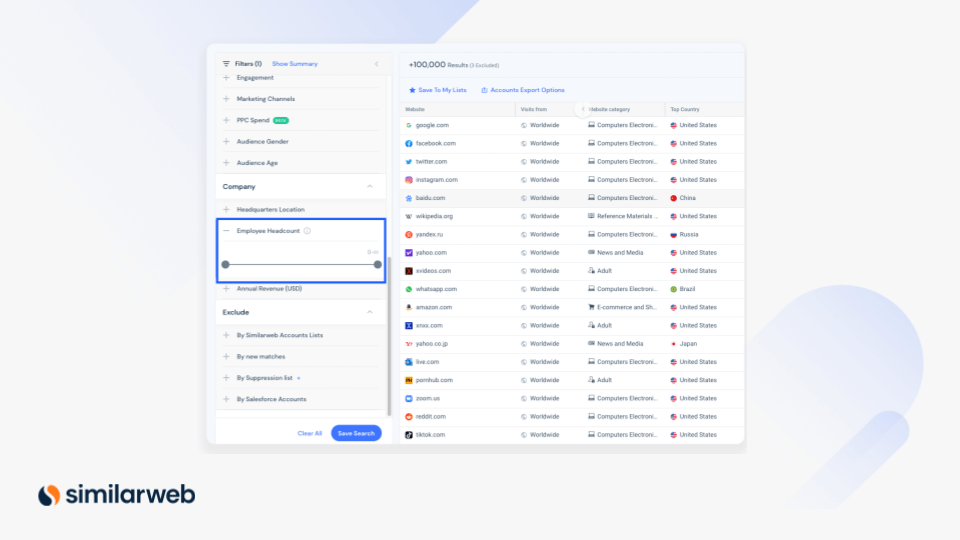
Build your territories with the employee headcount filter.
Filter by the number of employees when searching for new leads. Build and prospect your territories based on companies within a specific size of business.
Get key insights about your prospects or accounts.
We’ve rebuilt the sidebar to equip sales reps with everything they need, in one place. Get full visibility into any prospect – from general company information to top-growing countries, and site trends to a full overview of their digital presence across all marketing channels.
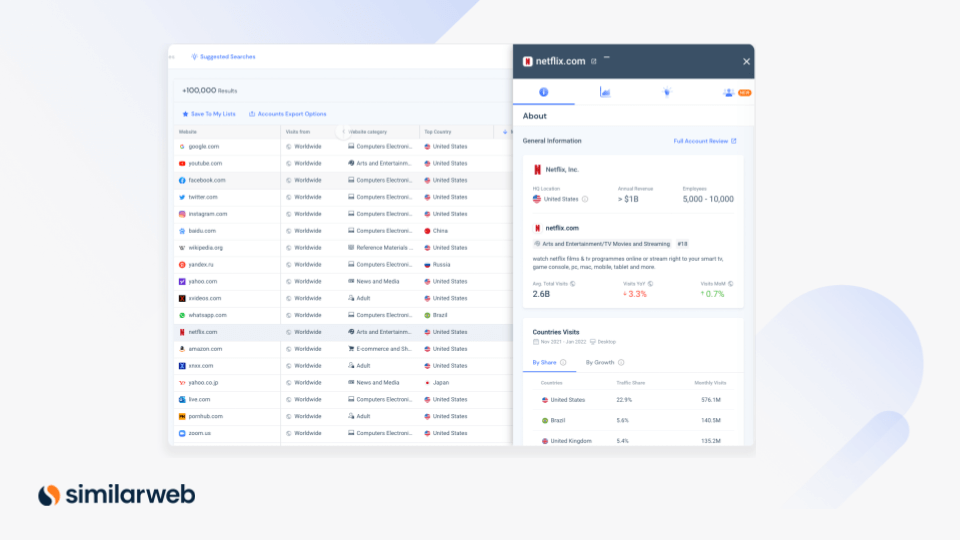
The new sidebar packs lots of powerful new features, including:
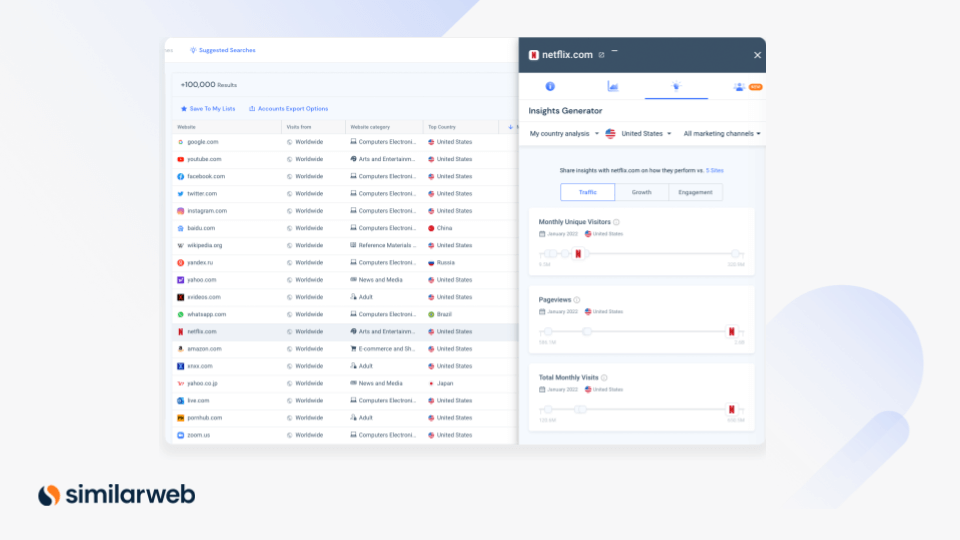
Increase client response rates with consultative selling at scale.
Easily uncover valuable insights you can share with prospects to break through the noise and grab their attention. The Insights Generator surfaces areas of opportunities where your solution can help your prospects and clients. Armed with relevant insights your prospects actually care about, you’ll be able to confidently position yourself as a strategic consultant. This gets your clients to pay attention, trust, and engage with you.
This tool helps you:
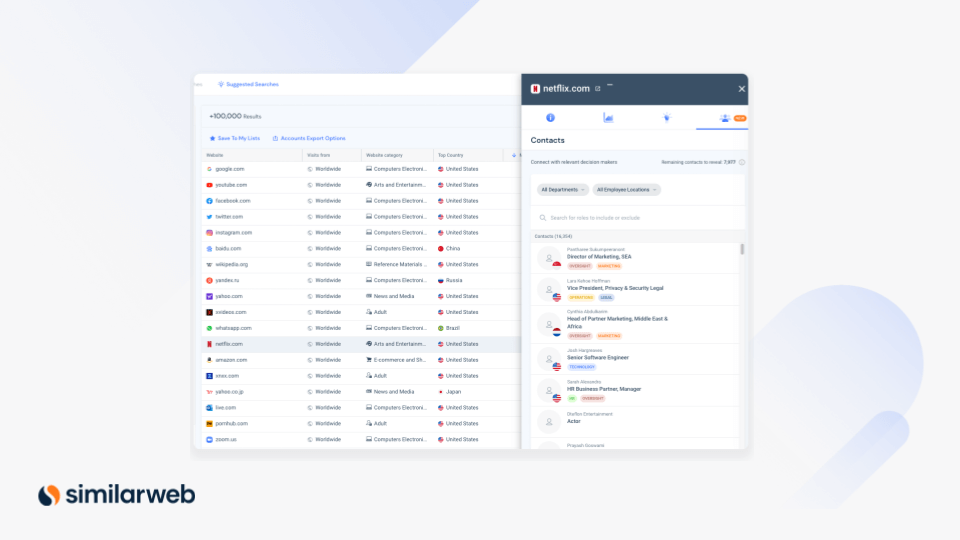
Find decision-makers for sales outreach.
Contact data empowers you to connect with a company’s right decision-makers. Find decision-makers based on their location, role, and department, and get direct access to their business contact information, including email, phone number, and more. Save hours of research and prioritize your focus on the right opportunities, increasing your chances of success.
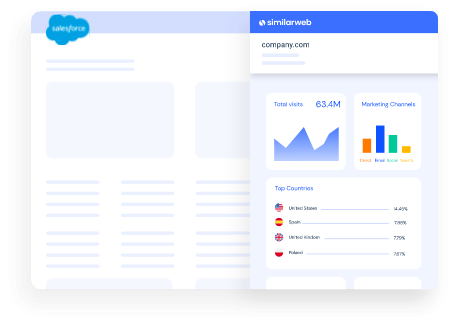
Get the best out of Similarweb Sales Intelligence, right in Salesforce
The updated Company View Salesforce widget provides robust sales intelligence insights on your prospects, leads, and accounts – right in Salesforce. It’s got everything you need to see if a client is a fit, and to find the right angle to engage with them.
The widget provides you with:
The best part is, that you can easily spin up outreach emails with key insights, all from Salesforce.
Did you know the top 100 marketplaces make up 63% of global eCommerce sales? Or that marketplaces are the number one shopping destination online?
That’s why we launched our first eCommerce-focused solution, Similarweb Shopper Intelligence – to deliver real shopper behavior data for the leading digital marketplaces. It enables you to react to changing consumer demand and competitive threats, grow sales, increase customer loyalty, and optimize your product portfolios.
With Similarweb Shopper Intelligence, you can access comprehensive digital consumer behavior insights for five leading retailers: Amazon, Walmart, Target, Best Buy, and Chewy.
Here’s a glimpse at what you can do with Similarweb Shopper Intelligence:
Monitor consumer demand – Analyze monthly and daily product views, units sold, and revenues – at a category, brand, and product level – to understand consumer demand.
Analyze consumer behavior – Access holistic customer journey data (including cross-shopping behavior, loyalty, retention, branded vs. unbranded clicks data, and Subscribe & Save rates) of sales and revenue for virtually every category and brand on Amazon.
Optimize retail search strategies – Identify the best-performing keywords, paid vs. organic split, branded vs. non-branded searches, clicks by position, and top brands per keyword to optimize your Amazon search strategy.
Benchmark category and brand – Compare brands and categories on Amazon side-by-side for easy benchmarking. Quickly identify trends and growth opportunities by comparing different brands and category combinations.

by Kyle Weeks
Senior Product Marketing Manager, Similarweb
With experience at Apple and startups, Kyle helps SEOs grow traffic at Similarweb. He’s also a culinary school grad and Certified Sommelier.
Top Ecommerce Companies in the USA: The 100 Brands Winning the Traffic Race in 2026

3 of the Sharpest Minds Weigh in on the State of Gen AI in 2026

Give it a try or talk to our insights team — don’t worry, it’s free!
